


Quick answer: what did Consent Mode v2 change for eCommerce in 2024?
Google strengthened consent requirements for traffic from the European Economic Area in 2024 and introduced two additional consent signals: ad_user_data and ad_personalization. For eCommerce teams using Google Ads, Google Analytics, remarketing, enhanced conversions, Customer Match or other Google advertising products, the operational task was not simply to add a cookie banner. The consent choice needed to be collected correctly and communicated to Google through the current consent-mode implementation.
Starting in March 2024, missing consent signals could reduce the availability of advertising personalization and audience features for affected EEA traffic. Merchants therefore needed to review their CMP, Google Tag Manager or gtag implementation, test default and update states, and make sure the website experience still respected the visitor’s choice. This guide is operational guidance, not legal advice.
Privacy work in eCommerce is easy to underestimate because it sits between legal requirements, analytics architecture, advertising platforms, tag management and the storefront itself. A banner can look correct while the underlying tags still send the wrong signals. The reverse can also happen: a technically sophisticated setup can fail because the consent experience is unclear or does not match the business’s legal basis.
In early 2024, that gap became more important for merchants serving people in the EEA. Google had updated consent mode with more granular advertising consent signals, and its documentation made clear that advertisers relying on measurement, ad personalization and remarketing needed to collect consent and share the appropriate status with Google.
What changed with Consent Mode v2?
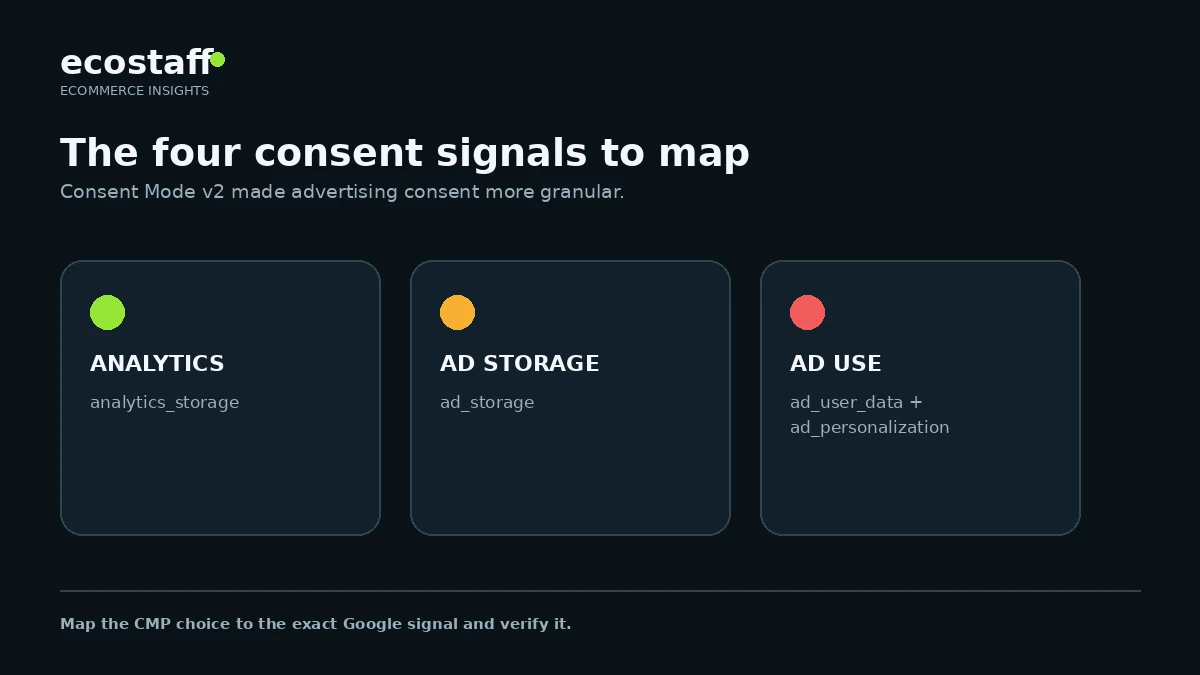
Consent mode allows Google tags to adjust behavior based on a visitor’s consent status. Earlier implementations commonly focused on analytics_storage and ad_storage. The updated API added ad_user_data for consent to send user data to Google for advertising purposes and ad_personalization for consent to personalized advertising.
| Consent signal | What it controls | Why an eCommerce team should care |
|---|---|---|
analytics_storage | Storage related to analytics | Affects analytics measurement behavior and the way Google tags operate when analytics consent is denied. |
ad_storage | Storage related to advertising | Affects advertising cookies or identifiers and the behavior of advertising tags. |
ad_user_data | Sending user data to Google for advertising purposes | Relevant to advertising features that use first-party user data, including some audience and conversion use cases. |
ad_personalization | Personalized advertising | Relevant to remarketing and personalized advertising capabilities. |
Why March 2024 mattered
Google’s EEA guidance tied the 2024 enforcement period to the continued use of measurement, personalization and remarketing capabilities. For Customer Match in the EEA, Google documentation states that both ad_user_data and ad_personalization need to be granted for affected records to be used for personalized advertising. The practical consequence for merchants was that a legacy banner or an old consent-mode configuration could no longer be treated as “done” without verification.
Consent Mode v2 is not a replacement for a CMP
Consent mode communicates consent states to Google products. It does not decide what consent your business should collect, what wording should appear in the banner, or which legal basis applies. Google itself tells advertisers to work with their legal teams on the appropriate consent mechanism. In practice, most merchants use a consent management platform, a custom banner, or a platform-specific privacy solution that then updates Google consent states.
Why this matters specifically for eCommerce
eCommerce sites tend to have more marketing and measurement dependencies than a simple brochure site. A merchant may simultaneously use Google Ads conversion tracking, GA4, Merchant Center integrations, enhanced conversions, remarketing, affiliate tags, Meta pixels, email capture, personalization tools and an experimentation platform. Each additional integration increases the chance that consent behavior becomes inconsistent.
- Acquisition measurement: paid search and shopping teams need reliable conversion signals to evaluate campaigns.
- Remarketing: product-view and cart audiences depend on advertising consent and platform rules.
- First-party data: Customer Match and enhanced conversion workflows may use customer information and require appropriate consent handling.
- Analytics: the business still needs useful measurement while respecting the visitor’s choices.
- Checkout: consent state may need to persist correctly as a shopper moves from the storefront to checkout or between subdomains.
Basic vs advanced consent mode
Google describes two broad implementation patterns. In basic consent mode, Google tags are blocked until the visitor interacts with the consent mechanism and grants the relevant consent. In advanced consent mode, Google tags can load with default consent states set to denied and adjust their behavior until consent is granted. The right approach is not a marketing preference. It should be selected with legal and privacy guidance, then implemented consistently.
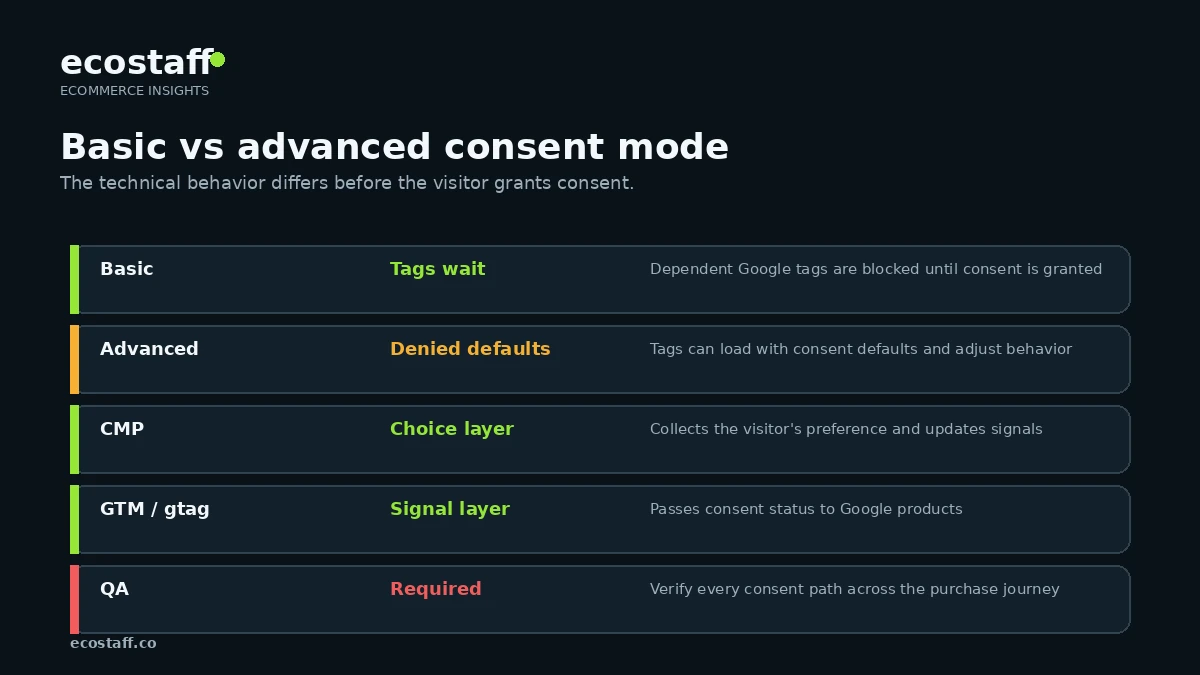
For an eCommerce team, the key operational rule is to avoid accidental mixed states. If the banner says one thing while GTM, gtag, an app or a checkout integration does another, the store can create both compliance risk and unreliable data.
A practical Consent Mode v2 audit for an eCommerce store
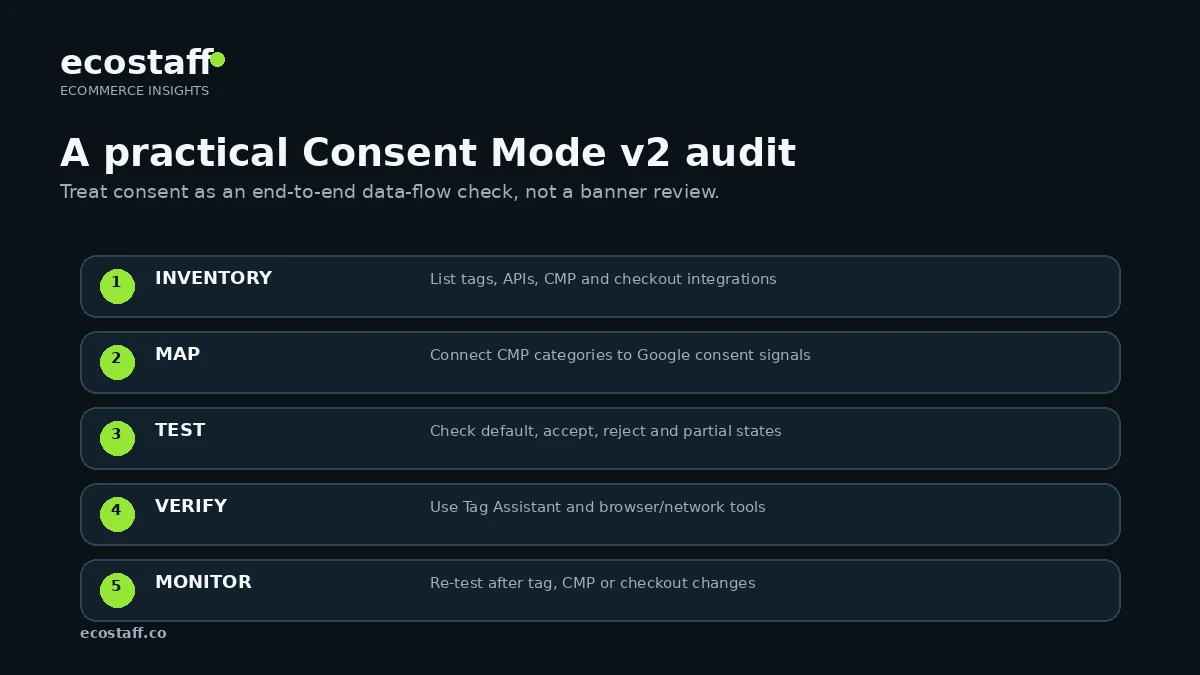
1. Inventory every Google-related data flow
Start with the storefront, not with Google Ads. List all places where Google tags or APIs receive data: theme code, Google Tag Manager containers, GA4, Google Ads tags, Merchant Center apps, checkout pixels, server-side tagging, enhanced conversions, Customer Match uploads and any agency-managed scripts. Many stores discover duplicate tags during this step.
2. Map the CMP categories to Google consent signals
A CMP might use categories such as Analytics, Advertising or Marketing, while Google expects specific consent signals. Confirm which CMP state controls each Google parameter. Do not assume a vendor’s default mapping matches your business rules.
3. Check the default state before interaction
Open the site in a clean browser session and inspect what happens before the visitor accepts or rejects anything. Default consent should be set before tags that depend on it execute. Race conditions are common when the banner script, GTM container and platform apps load in different orders.
4. Test accept, reject and partial consent
A real test covers more than the happy path. Test full acceptance, full rejection and any partial choices the banner allows. Then revisit the site to confirm the preference persists as intended.
5. Verify with Tag Assistant and browser tools
Google recommends using Tag Assistant to troubleshoot consent implementations. Confirm that the expected consent states change after the visitor’s action and that the tags behave consistently with those states. Also inspect network activity if custom scripts or server-side tagging are involved.
Common implementation mistakes
| Mistake | What it looks like | Better approach |
|---|---|---|
| Banner-only implementation | The banner changes visually but Google consent signals never update. | Connect the consent platform to GTM, gtag or the relevant Google integration and verify the state changes. |
| Tags fire before defaults | Advertising or analytics tags execute before consent defaults are set. | Load consent defaults early enough that dependent tags receive the intended state. |
| Only testing Accept | The team validates the green path but never checks Reject or partial preferences. | Test every consent path that the interface offers. |
| Duplicate Google tags | Theme code, apps and GTM all install similar tags. | Create a tag inventory and remove redundant implementations. |
| No checkout continuity | Consent is correct on the storefront but changes or disappears in checkout. | Test the entire purchase journey, including hosted checkout or cross-domain transitions. |
| Treating consent as legal copy only | Marketing owns the banner while engineering owns tags, with no shared QA. | Use one cross-functional owner and a documented acceptance checklist. |
How Consent Mode v2 affects measurement and marketing decisions
Consent mode does not guarantee that every pre-2024 report remains directly comparable with post-change data. Changes in consent rates, CMP design, tag configuration and modeled measurement can all affect reporting. Teams should annotate major privacy-implementation changes and avoid interpreting a sudden movement in audience size or conversion reporting as a merchandising problem until tracking changes are ruled out.
This is particularly important during campaign optimization. If an agency changes bidding, creative and consent configuration in the same week, it becomes difficult to separate media performance from measurement effects. A controlled release plan is safer.
When should an eCommerce team involve a specialist?
A straightforward store using one CMP, GTM and standard Google tags can often complete the update internally. Specialist help becomes more useful when the store has server-side tagging, multiple storefronts, custom checkout logic, customer-data uploads, complex remarketing, several regional consent experiences or a history of duplicate tracking.
When comparing providers, ask for evidence of implementation and QA methodology rather than a generic claim that they “do analytics.” Ecostaff lets buyers compare eCommerce service providers, and the broader agency-selection guide explains how to assess delivery process, technical depth and risk.
Consent Mode v2 checklist for eCommerce teams
- Confirm whether the business receives traffic from users in the EEA.
- Document the consent mechanism and involve legal/privacy stakeholders.
- Inventory all Google tags, pixels, APIs and offline-data workflows.
- Confirm the latest consent-mode implementation is in use.
- Map CMP choices to analytics_storage, ad_storage, ad_user_data and ad_personalization.
- Set default consent states before dependent Google tags execute.
- Test Accept, Reject and partial-consent flows.
- Verify consent states with Tag Assistant and browser/network tools.
- Test storefront, account, cart and checkout continuity.
- Review Customer Match, enhanced conversions and other first-party-data workflows separately.
- Annotate analytics and advertising reporting around the implementation date.
- Re-test after theme, CMP, checkout or tag-manager changes.
Frequently asked questions
Does every eCommerce store need Consent Mode v2?
The answer depends on geography, the Google products being used and the store’s privacy approach. Google’s 2024 EEA guidance is specifically relevant to advertisers collecting data from users in the European Economic Area and using Google advertising or measurement products. Work with qualified privacy counsel on the legal requirements for your business.
Is a Google-certified CMP required?
Google supports certified CMP partners, but its guidance also describes custom implementations. What matters operationally is that the consent mechanism collects the appropriate choice and communicates it correctly to Google.
Will Consent Mode v2 recover all data lost when users reject cookies?
No. Consent mode changes how Google tags operate based on consent and can support modeled measurement in eligible setups, but it does not mean denied-consent users are tracked as if they had granted consent.
Should consent work be owned by marketing or engineering?
Neither team should own it alone. Marketing understands measurement and activation needs, engineering controls implementation, and privacy/legal stakeholders define the compliance framework. The best implementations use a shared acceptance checklist.
Sources and further reading
- Google Ads Help – Updates to consent mode for EEA traffic
- Google Ads Help – Privacy and regulatory changes for EEA traffic
- Google Ads Help – Obtain user consent
- Google Ads Help – How to provide consent for Customer Match
- Google Tag Platform – Consent mode guidance
Conclusion
Consent Mode v2 turned consent from a banner project into a measurement-architecture project for many eCommerce teams in 2024. The strongest implementation starts with the user’s choice, maps that choice to the correct Google consent signals, verifies behavior across the purchase journey and treats changes in reported data carefully.
For merchants, the goal is not to maximize data collection at any cost. It is to build a measurement setup that is technically reliable, privacy-aware and understandable enough that future platform or agency changes do not quietly break it.
