


Quick answer: how should an eCommerce team prepare technically for BFCM 2024?
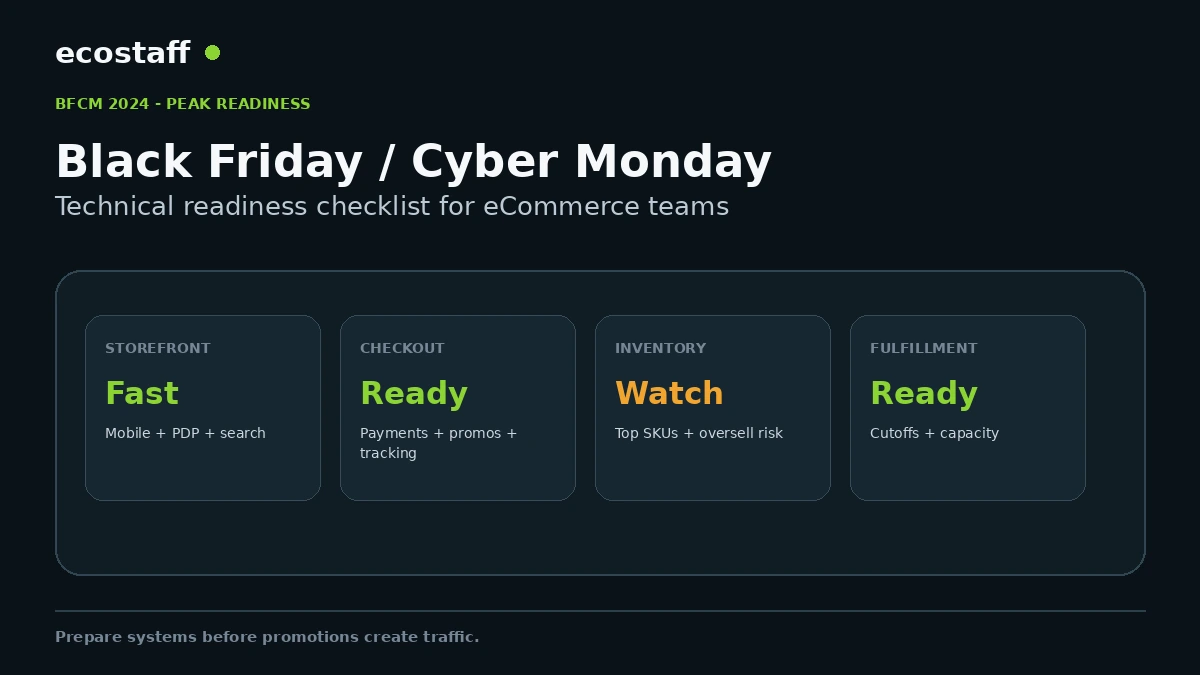
Black Friday and Cyber Monday readiness is an end-to-end order-path problem, not just a traffic problem. Before peak week, test the storefront, search and filters, product availability, promotions, cart, checkout, payment methods, analytics, inventory synchronization, fulfillment and customer support workflows under realistic load.
The safest operating model moves risky platform changes earlier, freezes non-critical releases before the event and defines owners, monitoring thresholds and rollback steps. Shopify’s 2024 BFCM guidance also emphasized preparing early, optimizing the website and planning campaigns rather than waiting until the sale weekend.
Peak-season incidents are expensive because several systems fail at once. A promotion drives more visitors, a third-party script slows product pages, a discount rule conflicts with bundles, inventory updates lag, payment errors rise and support volume spikes. Each issue may be manageable in isolation but damaging when the team has no shared monitoring or ownership.
The strongest BFCM plan therefore treats the store as a connected operating system. Marketing creates demand, but engineering, merchandising, operations, fulfillment and support all need the same readiness window.
Start with the order journey
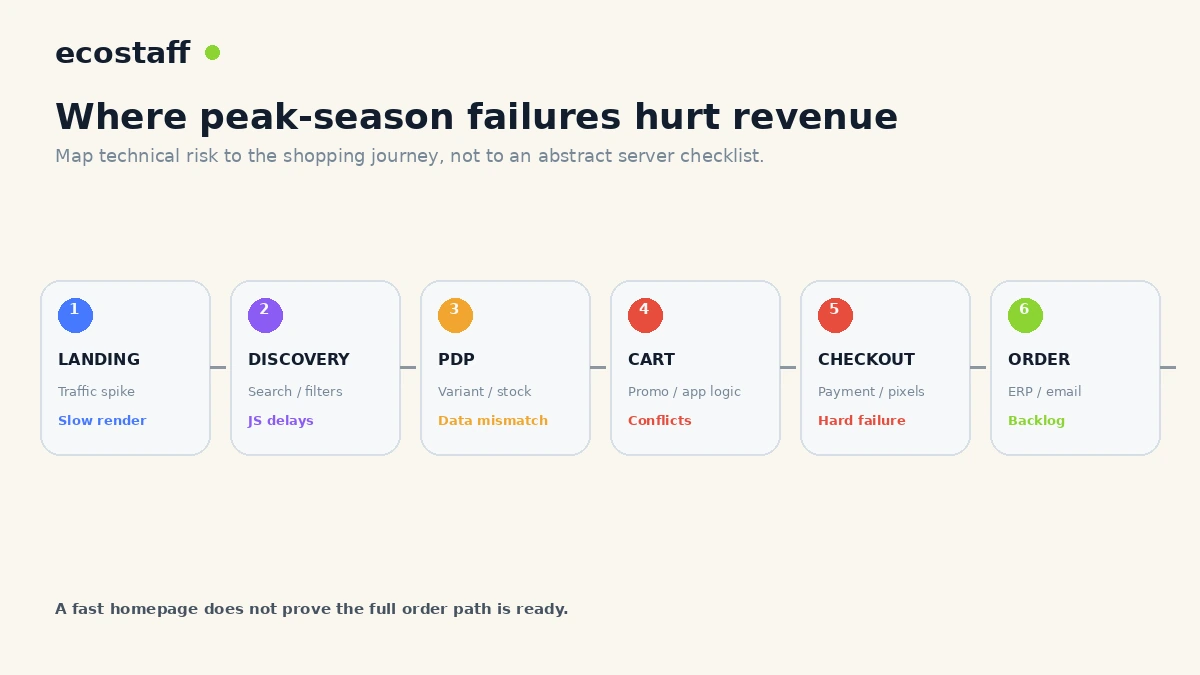
Map the customer’s path from campaign click to fulfilled order. Include external systems that can become bottlenecks: search providers, recommendation apps, payment gateways, tax services, fraud tools, ERP, WMS, 3PL, email platforms and customer support.
| Stage | Typical BFCM risk | What to test |
|---|---|---|
| Landing / collection | Traffic spike, slow assets, campaign mismatch | Mobile load, CDN/cache behavior, campaign URLs, merchandising |
| Search / filters | Heavy JS, API latency, zero results | Popular queries, filters, sort, mobile interaction |
| Product page | Inventory mismatch, app conflicts | Variants, availability, bundles, reviews, add to cart |
| Cart | Promotion conflicts, upsell scripts | Discount combinations, gifts, thresholds, quantity changes |
| Checkout | Payment or tracking failures | Guest/login, addresses, shipping, tax, wallets, cards, pixels |
| Order processing | Queues, ERP/WMS lag, email delay | Status updates, export, fulfillment, notifications, refunds |
Use a change-freeze calendar
The closer the business gets to peak traffic, the more expensive an avoidable regression becomes. Major checkout changes, platform migrations, new tag managers or large app installs should be completed early enough to observe real behavior.
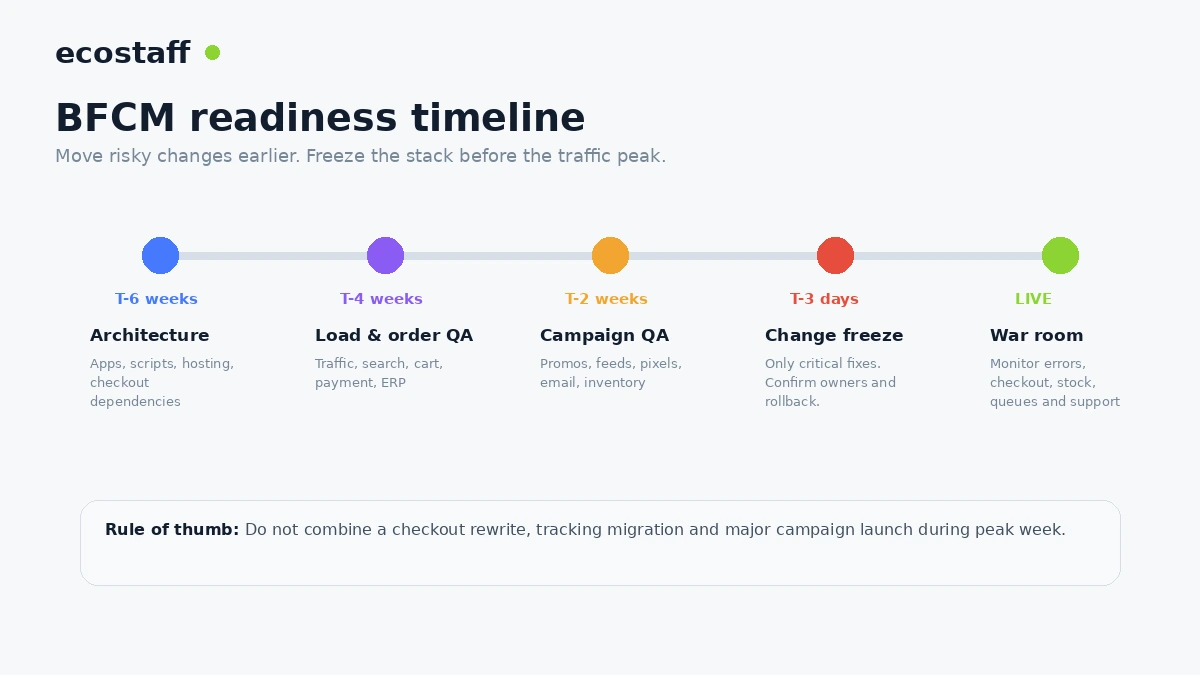
Six weeks before: architecture and capacity review
- Inventory all critical apps, APIs and third-party services.
- Review hosting, CDN, caching and database limits where the platform gives you control.
- Identify single points of failure in search, payments, tax, ERP, WMS and fulfillment.
- Remove unused apps or scripts that create page or checkout risk.
- Confirm support contacts and escalation paths for critical vendors.
- Review backup, rollback and deployment procedures.
Four weeks before: realistic order-path QA
Run real order scenarios, not only synthetic page-speed tests. The team should know whether promotions, payment methods, taxes, shipping, stock and analytics work together.
If the platform supports load testing, follow the platform’s rules and coordinate with providers rather than generating uncontrolled traffic against production. On SaaS platforms, focus on your custom apps, APIs and external systems rather than trying to stress the platform itself.
Two weeks before: campaign and merchandising QA
- Confirm promotion logic and exclusions.
- Validate product feeds and landing pages.
- Check top SKU inventory and oversell behavior.
- Review mobile navigation and product discovery.
- Confirm return, shipping and cutoff messaging.
- Test lifecycle email and SMS flows.
- Verify analytics events, revenue values and campaign attribution.
Three days before: freeze non-critical changes
A change freeze does not mean the team refuses to fix a critical problem. It means normal experiments, app installs, design changes and tracking rewrites stop unless the business case outweighs the peak-period risk.
Document who can approve an emergency release, what rollback looks like and which metrics must be checked immediately after deployment.
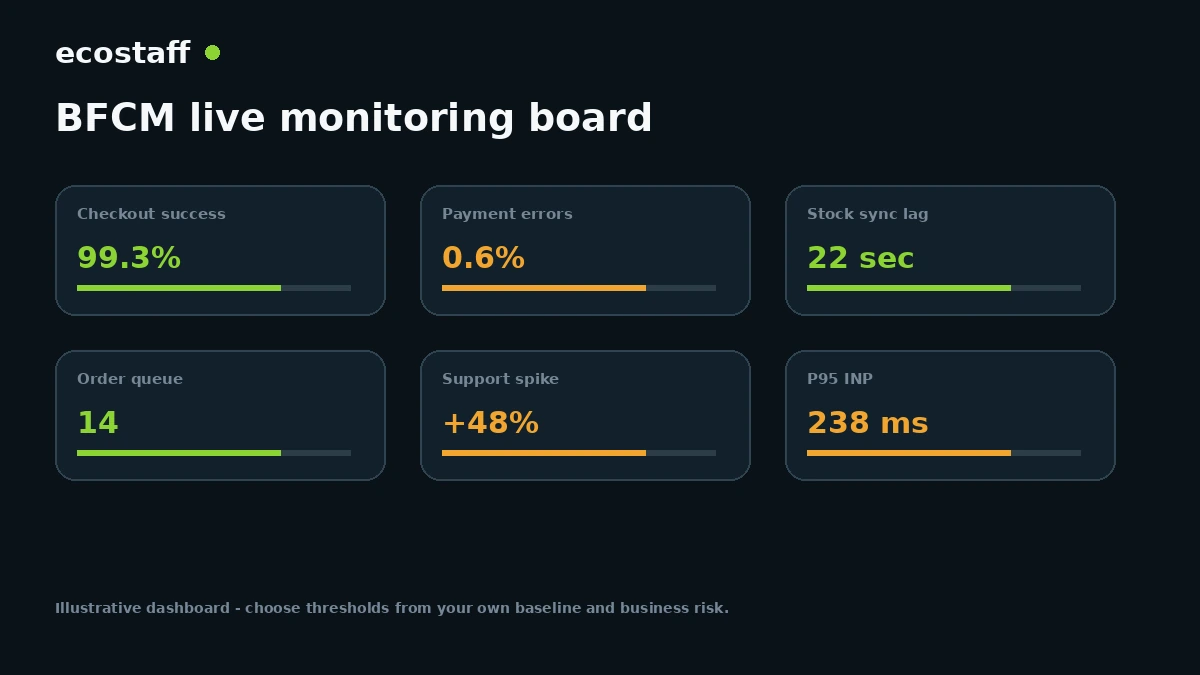
What should be on the BFCM monitoring board?
- Checkout success rate: successful orders relative to checkout attempts.
- Payment errors: by gateway, payment method and geography.
- Storefront performance: real-user performance on key templates, not only homepage lab scores.
- Inventory sync: delay between source of truth and storefront availability.
- Order queue: ERP, warehouse, fraud and fulfillment processing backlog.
- Support demand: ticket volume and repeated issue themes.
- Promotion health: discount errors, unexpected stacking or invalid codes.
- Tracking health: order IDs, revenue, duplicate events and consent behavior.
BFCM performance is about interaction, not only load time
A product page can render quickly and still become frustrating when shoppers open filters, change variants or add items to the cart. That is why real-user Core Web Vitals and interaction testing matter during peak preparation.
For a deeper technical explanation, see the Interaction to Next Paint guide for eCommerce.
Inventory and fulfillment can become the real bottleneck
Shopify’s BFCM guidance has long emphasized inventory planning and fulfillment capacity. A store that converts well but cannot maintain accurate stock or ship within promised windows can create a customer-service problem after the event.
Review top sellers separately from slow-moving inventory. Confirm replenishment, pre-order rules, backorder messaging and the maximum daily order volume the warehouse or 3PL can process.
Do not launch an untested promotion stack
Complex offers can trigger edge cases: automatic discounts combined with codes, bundles interacting with free gifts, shipping thresholds that change after coupons, or loyalty apps modifying cart prices. Test the promotion exactly as customers will experience it.
When should an eCommerce team bring in an agency?
External help is useful when the peak plan exposes work the internal team cannot complete safely before the event: performance optimization, checkout stabilization, analytics validation, ERP or WMS integration, platform migration cleanup or conversion-focused QA.
Ecostaff lets buyers compare eCommerce agencies and service providers. Use the agency evaluation framework to compare process, evidence and delivery risk.
BFCM 2024 technical readiness checklist
- Map the full customer-to-fulfillment journey.
- Identify critical third-party dependencies and owners.
- Review top landing, collection and product pages on mobile.
- Test search, filters, variants and cart interactions.
- Validate discounts, bundles, gifts and shipping thresholds.
- Test every important payment method and checkout scenario.
- Confirm inventory sync and oversell handling.
- Validate ERP, warehouse, 3PL and order-status workflows.
- Check analytics, pixels, revenue values and consent states.
- Set a change-freeze date.
- Create an incident contact list and rollback process.
- Build a shared live dashboard with business and technical metrics.
- Define severity thresholds before the event starts.
- Document post-event learnings for the next peak period.
Frequently asked questions
Should we load-test a SaaS ecommerce platform ourselves?
Not without checking the platform’s rules. For hosted platforms, merchants usually have more control over their own custom apps, APIs and external integrations than the core infrastructure. Coordinate large tests with the relevant providers.
Is a change freeze necessary for a small store?
The formal process can be lightweight, but the principle still helps. Avoid installing unnecessary apps or making risky checkout and tracking changes immediately before the highest-demand period.
Which metric should we watch first during BFCM?
Use a small set rather than one metric. Checkout success, payment errors, order volume, inventory synchronization and key storefront performance together give a much better picture than traffic alone.
Sources and further reading
- Shopify – 10 Black Friday ideas for small businesses, July 2024
- Shopify – Getting your back office ready for the holiday selling season
- Google Search Central – Page experience guidance
- web.dev – Interaction to Next Paint
Conclusion
BFCM readiness is the ability to keep the commercial system working when demand, promotions and operational load rise together. The goal is not to prove the site can survive one benchmark. It is to protect the full order journey.
Move risky changes early, test real scenarios, freeze non-critical work before peak week and monitor the signals that connect technology to revenue. That operating discipline is more valuable than a last-minute performance sprint.
