

Quick answer: what changed in Shopify Winter ’24?
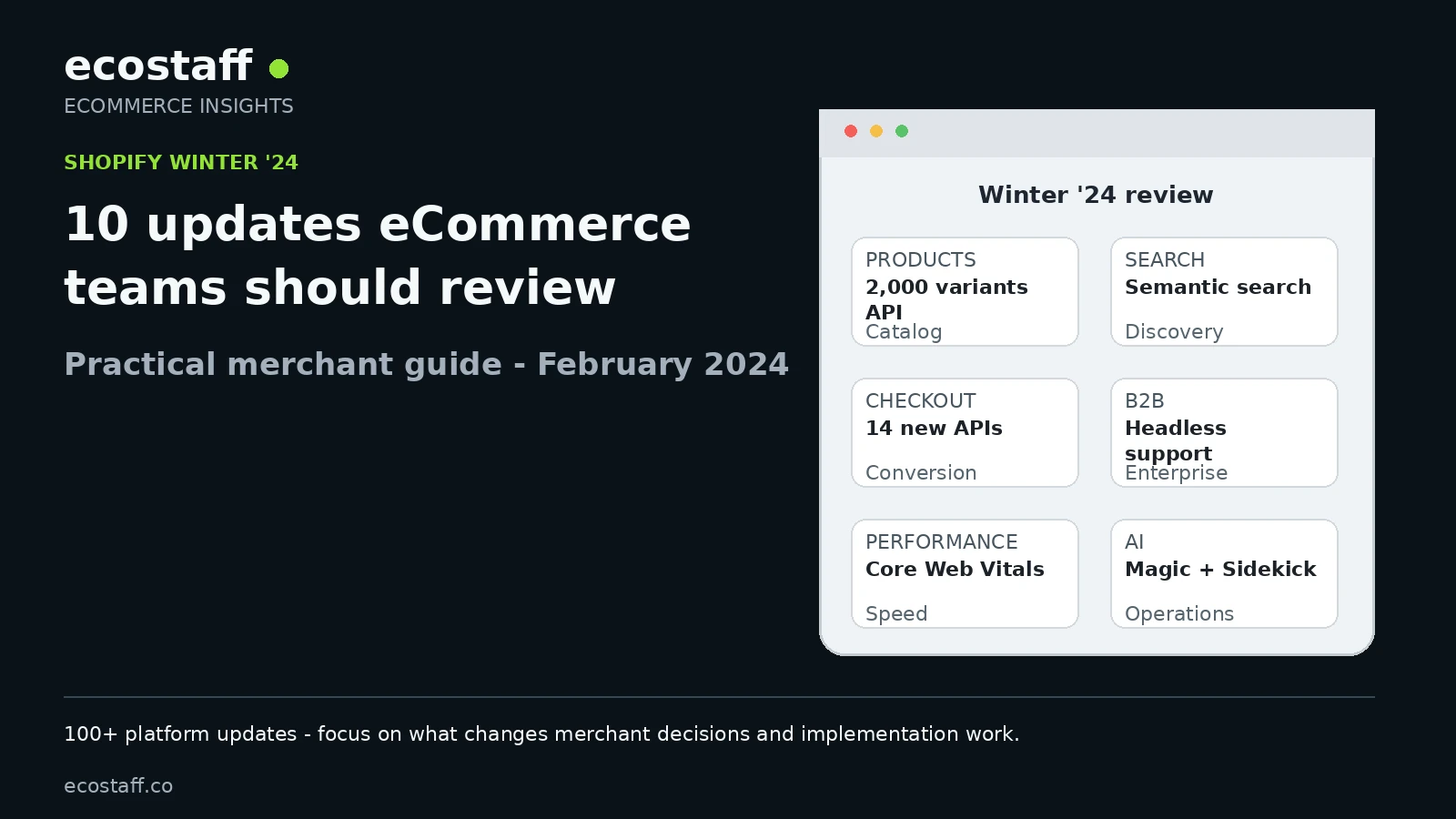
Shopify Winter ’24 introduced more than 100 platform updates on January 31, 2024. The biggest practical changes for eCommerce teams were a major product-model upgrade, new merchandising tools, semantic search, Shopify Subscriptions in full release, expanded Checkout Extensibility, a new Core Web Vitals performance dashboard, stronger B2B capabilities, more international-selling controls, new Shopify Magic features and additional automation tools.
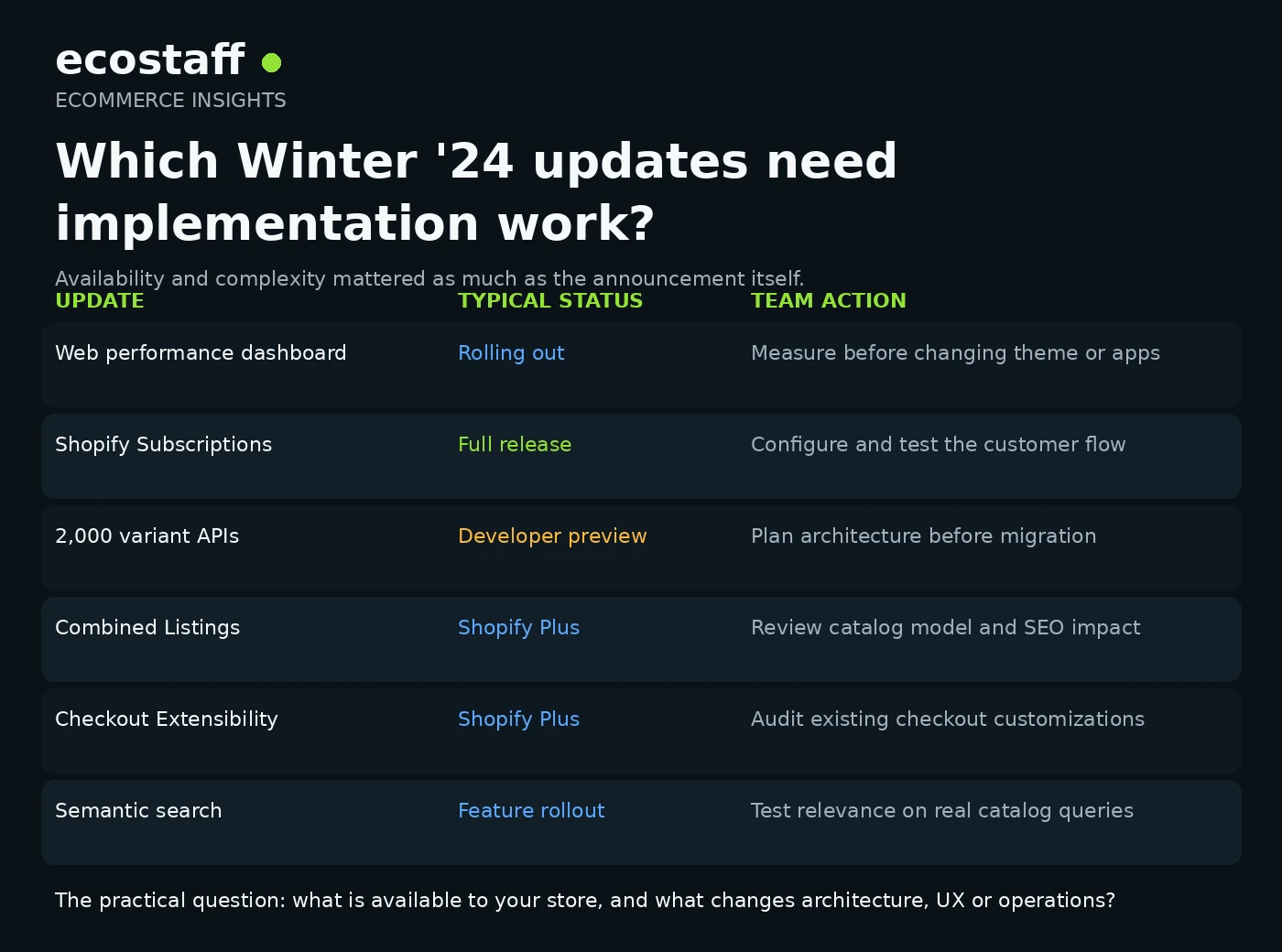
The important point is not to implement every announcement. Teams should first identify which updates solve a current constraint in catalog complexity, product discovery, checkout, subscriptions, B2B, storefront performance or operations. Some Winter ’24 features were generally available, while others were limited to Shopify Plus, rolling out gradually or still in developer preview.
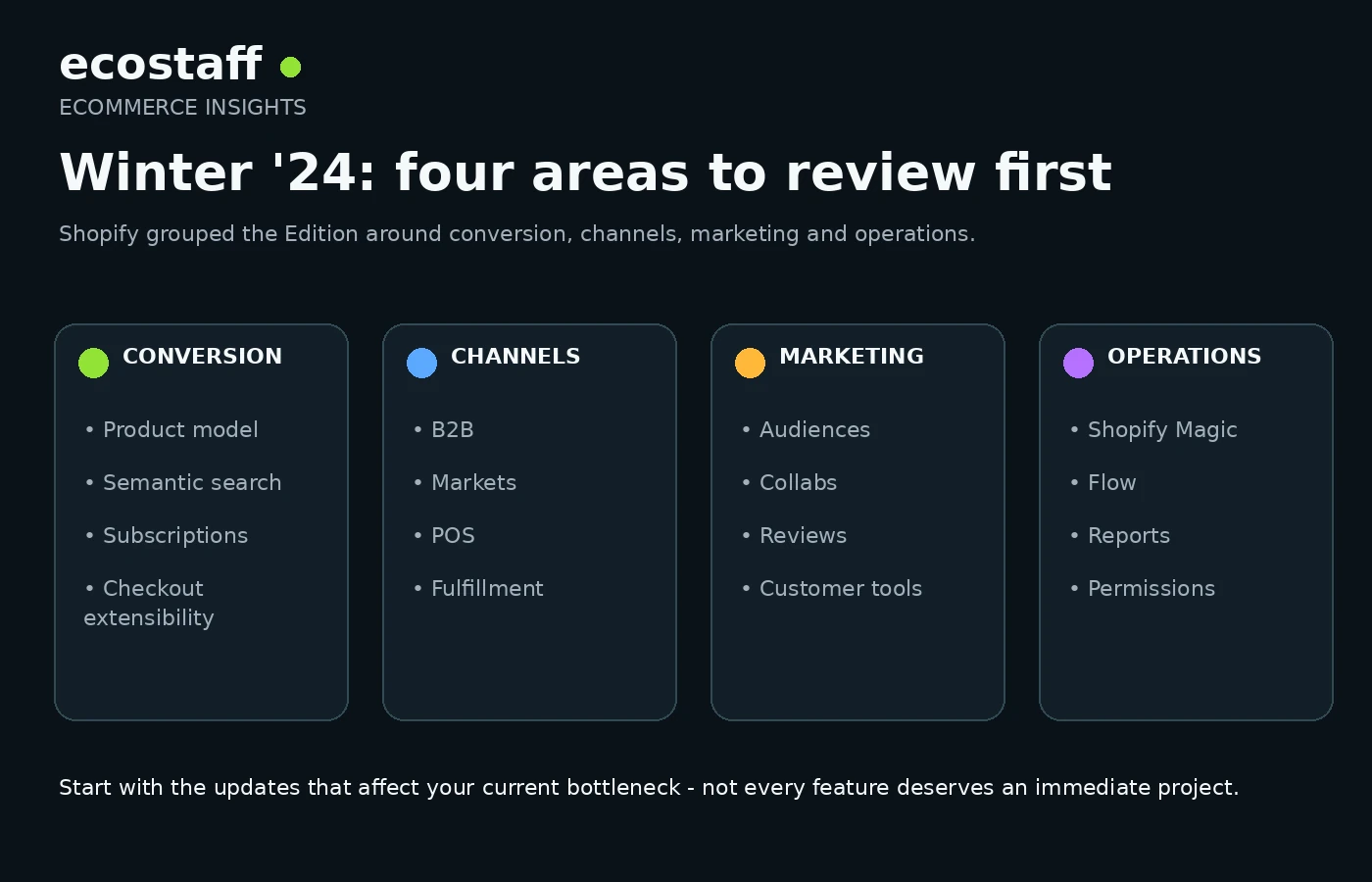
Shopify Editions can be overwhelming because the release format combines major platform changes with smaller workflow improvements. Winter ’24 was especially broad: Shopify grouped the release into conversion, channels, marketing and operations, with a separate developer layer underneath.
For merchants, the useful question is not “What is new?” It is “Which changes affect the architecture, customer experience or operating model of our store?” That is the lens used in this guide.
What was Shopify Winter ’24?
Shopify released Winter ’24 on January 31, 2024 and described it as a collection of more than 100 product updates focused on strengthening the foundations of commerce. The official overview highlighted four merchant-facing areas: conversion, channels, marketing and operations.
The release included changes for small stores, Shopify Plus merchants, B2B teams, retail operators and developers. Availability varied. Some tools were already in full release, some were rolling out, and some were previews intended for selected merchants or developers.
That distinction matters. A roadmap should not treat a developer preview, a Shopify Plus feature and a generally available app as if they were equally ready for production. The official Winter ’24 Edition is the best source for the release-level availability notes.
The 10 Shopify Winter ’24 updates eCommerce teams should review
| Update area | Why it matters | Typical team question |
|---|---|---|
| Product model | Supports more complex catalogs and merchandising structures | Are current variant and product structures limiting us? |
| Semantic search | Improves discovery beyond literal keyword matching | Do shoppers struggle to find products using natural language? |
| Subscriptions and bundles | Adds native recurring-purchase and merchandising options | Can we simplify recurring revenue or bundle operations? |
| Checkout Extensibility | Expands the supported approach to checkout customization | Do existing checkout customizations need a new architecture? |
| Web performance dashboard | Brings real-user Core Web Vitals into Shopify admin | Which storefront experiences are actually slow for customers? |
| B2B | Adds permissions, discounts and headless support | Can Shopify support more of our wholesale workflow? |
| International operations | Improves inventory, market and cross-border controls | Where are localization or fulfillment constraints hurting growth? |
| Shopify Magic and Sidekick | Adds AI-assisted content and operational workflows | Which repetitive tasks can be shortened without lowering quality? |
| Flow and admin tools | Expands automation, reporting and permissions | What manual processes can become repeatable workflows? |
| Marketing and customer tools | Adds audience, review and communication improvements | Which acquisition or retention workflow has the clearest gap? |
1. A major product-model upgrade for complex catalogs
Shopify described Winter ’24 as its largest product-model upgrade in more than a decade. The headline change was new GraphQL product APIs designed to support up to 2,000 variants per product, compared with the long-standing 100-variant limit. At launch, this capability was in developer preview and intended for selected businesses during 2024 rather than a universal production switch on day one.
That matters for merchants selling products with many combinations of size, color, material, configuration or other options. A catalog that previously required workarounds, product splitting or custom logic could potentially be modeled more cleanly as Shopify expanded the underlying product architecture.
Winter ’24 also introduced Combined Listings for Shopify Plus, allowing related product variations to be merchandised from a parent listing while each variation could retain its own description, media and URL. A new product taxonomy and category-specific attributes were also part of the merchandising changes.
For a migration or replatforming project, this is not just a feature checklist item. Product architecture affects SEO, feeds, integrations, analytics, inventory, theme logic and merchandising workflows. If your current catalog is complex, involve the people responsible for data and integrations before changing the model. Ecostaff organizes Shopify development companies by platform expertise when external implementation support is needed.
2. Semantic search changes product discovery
Shopify introduced semantic search as an AI-powered storefront discovery feature designed to understand the meaning behind a shopper’s query rather than relying only on exact keyword matching. Shopify’s own example was a shopper searching for “warm clothes for the winter” and receiving relevant product results even when those exact words were not present in product titles.
This is strategically important because search quality depends on more than the search algorithm. Product titles, descriptions, taxonomy, attributes and merchandising data still determine what the system has to work with. A retailer with inconsistent product data should not expect semantic search to solve the entire discovery problem automatically.
Teams should test real customer queries, zero-result searches, broad intent queries and high-value product categories. Search changes should be evaluated against findability, conversion and merchandising control, not just whether the new feature is enabled.
3. Shopify Subscriptions reaches full release
Shopify Subscriptions moved into full release in Winter ’24. The free Shopify-built app allowed merchants to create subscription products from the Shopify admin and gave customers controls to modify or skip subscription orders from their account.
For merchants already paying for a third-party subscription stack, the release created a practical review point. The native app would not automatically replace every advanced subscription platform, but it could reduce complexity for stores with simpler recurring-purchase requirements.
Winter ’24 also increased the Shopify Bundles app limit from 10 to 30 products per bundle. Together, these changes made it worth reviewing whether recurring purchase, kits, multipacks and bundle merchandising still required the same number of third-party tools.
4. Checkout Extensibility becomes more capable
Checkout Extensibility was already Shopify’s strategic direction for checkout customization, and Winter ’24 expanded it with 14 new APIs and UI components. Shopify also extended support to the thank you and order status pages and highlighted more than 90 checkout apps using the extensibility model.
For Shopify Plus teams with older checkout customizations, this was a strong signal to audit how checkout logic was implemented. Checkout work can affect payments, validation, upsells, loyalty, analytics, post-purchase flows, consent and operational integrations, so migration decisions should be mapped carefully rather than treated as a visual redesign.
Shopify also highlighted Checkout Sheet Kit for native mobile apps and additional checkout UI components. Teams with a customized checkout should document every current extension, script and business rule before choosing what to rebuild, replace or remove.
5. A new web performance dashboard brings real-user data into admin
On January 31, Shopify began rolling out a new web performance dashboard for Liquid storefronts. The dashboard replaced the older single Speed Score approach with real-user Core Web Vitals covering loading speed, interactivity and visual stability.
This was a meaningful improvement in how performance work could be prioritized. A single synthetic score is easy to chase without knowing whether customers are actually experiencing a problem. Real-user metrics make it easier to connect storefront changes with the devices and page experiences that matter in production.
Shopify’s performance team stated that its infrastructure had become 35% faster over the prior year, while also emphasizing that front-end performance is shared between the platform and the merchant’s theme, apps and implementation choices. The official web performance dashboard announcement is useful background for teams reviewing theme and app performance.
If your store has performance problems, begin with evidence before removing features or apps. Ecostaff also groups eCommerce performance optimization companies for projects that require specialist diagnosis.
6. B2B gets stronger permissions, discounts and headless support
Winter ’24 added several B2B capabilities aimed at larger and more complex organizations. Shopify highlighted sales-rep permissions, B2B discounts powered by Shopify Functions and support for headless B2B storefronts using APIs and developer tools.
These changes matter when a wholesale operation needs account-specific access, negotiated pricing, buyer-specific products or a front end that differs substantially from a standard direct-to-consumer storefront. The release did not remove the need for ERP, CRM, pricing or account architecture, but it expanded how much of the B2B experience could be supported within Shopify’s ecosystem.
Shopify’s enterprise overview called B2B one of the key areas in Winter ’24 for large brands. Teams evaluating Shopify for wholesale should map account structures, price lists, approval workflows, tax requirements and integrations before deciding whether native B2B features reduce custom development.
7. International selling and inventory controls improve
Winter ’24 included several updates around international operations and fulfillment. Shopify Markets gained additional analytics and order-editing capabilities, while fulfillable inventory controls helped merchants limit product availability based on the inventory configured for a buyer’s shipping region.
These are operational features with conversion consequences. Selling a product into a market where it cannot be fulfilled creates customer frustration, support costs and failed orders. Market-specific analytics can also help teams distinguish a localization problem from a broader store problem.
For multi-market stores, the useful audit is broader than enabling a feature. Review inventory logic, currencies, payment terms, tax, localization, delivery promises, translations and the systems that own each piece of data.
8. Shopify Magic expands AI-assisted store operations
Shopify continued integrating Shopify Magic across the platform. Winter ’24 highlighted generative image editing in the Media Editor, including the ability to create and modify image backgrounds from text prompts. Sidekick, Shopify’s AI assistant for commerce tasks, remained in early access for a selected group of merchants at the time of the Edition.
The practical use case is productivity, not replacing judgment. AI-generated media still needs brand review, merchandising accuracy and quality control. Product information generated or edited with AI should also be checked for factual accuracy, especially where materials, dimensions, compatibility or regulatory claims are involved.
For content teams, the right experiment is a narrow workflow with a measurable time saving. For example: background cleanup for product photography, first-draft FAQ generation or admin assistance for repetitive tasks.
9. Shopify Flow and admin tools reduce repetitive work
Shopify Flow gained a new Run code action that allowed JavaScript logic inside automations, along with improvements to search and workflow notifications. Shopify also opened more than 60 reports across plans and added more granular staff permissions in Orders.
These changes are easy to underestimate because they do not directly change the storefront. Operational automation can still affect margin, service quality and scale by reducing manual steps, preventing missed exceptions and giving teams clearer access controls.
Before adding another app, teams should review whether a native Flow action, report or permission change now solves the same problem. The best automation candidates are repetitive tasks with clear rules, consistent data and a measurable cost when they fail.
10. Marketing and customer tools continue to consolidate
Winter ’24 also expanded Shopify Audiences, Collabs, integrated reviews, customer segmentation and communication tools. The details vary by market and plan, but the broader pattern is clear: Shopify continued moving more acquisition, retention and customer-data workflows closer to the core platform.
That does not mean a merchant should automatically replace specialist marketing tools. It does mean the integration map deserves periodic review. Every additional app can add subscription cost, data duplication, implementation work and storefront scripts.
For each tool, ask three questions: does it create a capability we cannot get natively, does it materially improve performance, and is the integration cost justified by the value it creates?
Which updates should you prioritize first?
Priority should come from the business constraint, not from the novelty of the feature. A store with complex configurable products has a different Winter ’24 opportunity than a subscription brand, a B2B distributor or a retailer struggling with storefront performance.
| If your main problem is… | Review first | Measure |
|---|---|---|
| Complex catalog structure | Product model, Combined Listings, taxonomy | Merchandising time, feed quality, PDP conversion |
| Poor product discovery | Semantic search, Search & Discovery filters | Search conversion, zero-result rate, search exits |
| Recurring revenue | Shopify Subscriptions, bundles | Subscription conversion, retention, support burden |
| Checkout complexity | Checkout Extensibility | Checkout conversion, errors, customization maintenance |
| Slow storefront | Web performance dashboard | Core Web Vitals, conversion by device, bounce |
| Wholesale growth | B2B permissions, discounts, headless support | Order efficiency, account adoption, sales-rep workload |
Do not confuse an announcement with availability
Winter ’24 mixed full releases with previews, plan-specific features and staged rollouts. This is normal for a platform release, but it matters when planning implementation.
- Check plan requirements. Some capabilities, including Combined Listings and major Checkout Extensibility functionality, were positioned for Shopify Plus.
- Check rollout status. A feature that is “rolling out” may not be visible in every admin immediately.
- Treat developer preview as architecture research. Preview APIs are useful for planning, but production commitments should account for change and availability.
- Confirm geographic availability. Payments, lending, shipping and some market features can differ by country.
- Read the current implementation documentation before launch. Edition pages explain what changed, while product documentation explains how to deploy it safely.
A practical implementation workflow for Winter ’24
Step 1: audit the current store
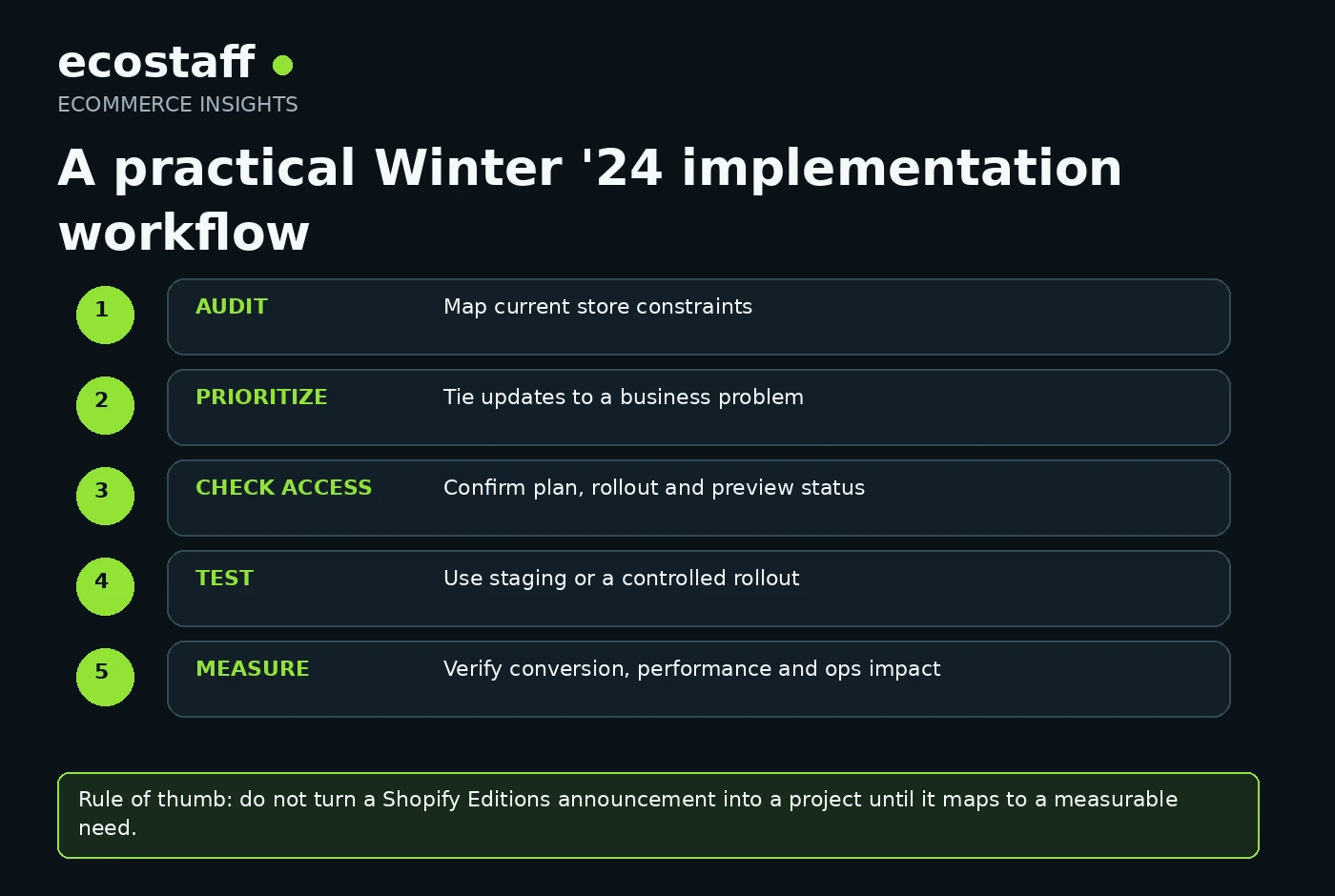
Document the current product model, search stack, checkout customizations, subscription tools, B2B processes, performance issues, international setup and high-cost operational workflows. Without this baseline, it is easy to implement a new feature that does not solve an important problem.
Step 2: connect each update to a measurable constraint
For each candidate feature, write down the problem, current workaround, expected benefit and metric. If you cannot describe the business problem clearly, the update is probably not a priority yet.
Step 3: confirm access and technical dependencies
Check whether the feature is available on your plan, market and store. Identify dependencies such as theme support, apps, APIs, ERP logic, checkout extensions, data migration or customer-account changes.
Step 4: test before changing production
Where the change affects checkout, catalog architecture, B2B logic or important storefront behavior, use a development theme, test store, feature flag or staged rollout. Test not only the happy path but also analytics, feeds, integrations, mobile behavior and error states.
Step 5: measure the result
Measure the business outcome you expected to improve. That may be product discovery, conversion, page responsiveness, support workload, merchandising speed or the number of manual steps in an operational process.
The best Shopify Editions project is not the one that uses the most new features. It is the one that removes a real constraint with less complexity than the workaround it replaces.
When should you involve a Shopify development agency?
Many Winter ’24 changes can be reviewed or configured internally. External implementation support becomes more useful when the update changes architecture, data structures, integrations or high-risk customer flows.
- Your catalog requires product-model migration or custom data transformation.
- Checkout customizations need to move to Checkout Extensibility.
- B2B requirements involve ERP, CRM, pricing or customer-account integrations.
- Performance problems require theme, JavaScript or app-level diagnosis.
- A headless storefront or custom front end depends on new APIs.
- International expansion requires coordinated changes across markets, inventory and integrations.
When comparing partners, look for recent Shopify implementation evidence that matches your specific problem rather than a generic “Shopify expert” label. You can browse Shopify agencies on Ecostaff, explore custom eCommerce development companies or start from the wider eCommerce company directory.
Questions to ask a Shopify agency about Winter ’24 changes
- Which Winter ’24 features are actually relevant to our store and why?
- Which features are generally available, Plus-only, rolling out or still in preview?
- Will the proposed change affect product URLs, feeds, analytics or integrations?
- How will you migrate existing checkout or product-model customizations?
- What is the rollback plan if the implementation causes a conversion or operations problem?
- How will we test the change on mobile and with real customer flows?
- Which metric should improve if the project succeeds?
- Can any existing app or custom workaround be removed after the change?
Frequently asked questions about Shopify Winter ’24
When was Shopify Winter ’24 released?
Shopify released Winter ’24 on January 31, 2024. The Edition collected more than 100 updates across conversion, channels, marketing, operations and developer tooling.
Did Shopify raise the product variant limit to 2,000 immediately for every store?
No. Winter ’24 announced new GraphQL product APIs designed to support up to 2,000 variants per product, but Shopify described the capability as being in developer preview and available to selected businesses during 2024. Teams should check current availability before designing a production migration around it.
Was Shopify Subscriptions generally available in Winter ’24?
Yes. Shopify listed its Shopify Subscriptions app as being in full release in Winter ’24. Merchants still needed to compare its capabilities with any advanced subscription requirements already handled by third-party apps.
What changed for Shopify storefront performance?
Shopify began rolling out a new web performance dashboard for Liquid storefronts on January 31, 2024. It used real-user Core Web Vitals for loading, interactivity and visual stability instead of relying on the older single Speed Score.
Does every Winter ’24 feature require a developer?
No. Some features can be configured by merchants or operational teams. Development support is most useful when a change affects product architecture, checkout, APIs, B2B integrations, headless storefronts or custom performance work.
Sources and further reading
- Shopify – 100+ updates that make Shopify’s foundations even stronger, January 31, 2024.
- Shopify Editions – Winter ’24.
- Performance at Shopify – New web performance dashboard with real user insights, January 31, 2024.
- Shopify – Winter ’24 updates for large brands, February 6, 2024.
- Shopify Changelog – Winter ’24 is live, January 31, 2024.
Conclusion
Shopify Winter ’24 was less about one headline feature and more about strengthening the platform’s foundations. Product architecture, search, subscriptions, checkout, B2B, performance, international operations, AI and automation all moved forward in the same release.
For eCommerce teams, the best response is selective. Audit the store, identify the highest-cost constraint, confirm feature availability, test the implementation and measure the result. That approach turns a large platform announcement into a practical roadmap rather than a list of features to chase.