

Quick answer: what happened to Shopify Scripts on June 30, 2026?
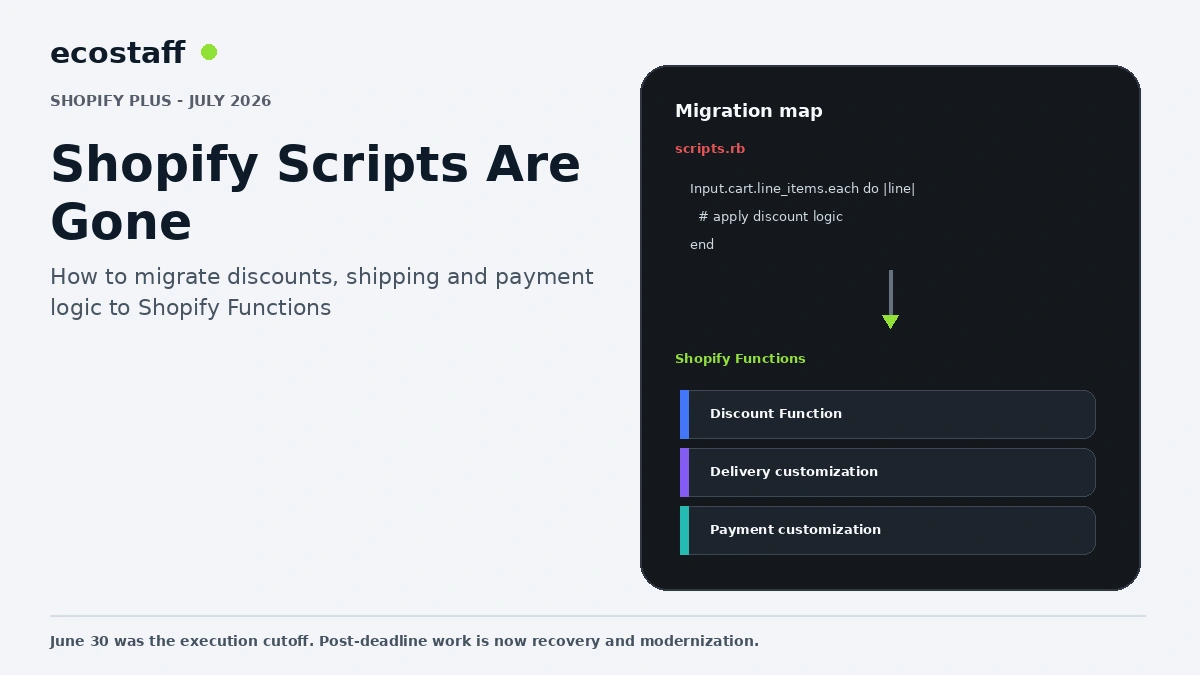
Shopify Scripts stopped executing on June 30, 2026. Shopify had already blocked editing and publishing new Scripts from April 15, and directed Plus merchants to migrate business logic toward Shopify Functions, native Shopify features or compatible public apps.
For merchants reading this after the cutoff, the project is no longer a future deprecation plan. It is a production audit. Identify every Script that controlled line-item discounts, shipping or payment behavior, restate the business rule and verify that a supported replacement now produces the same commercial outcome.
Shopify Scripts allowed Plus merchants to customize parts of checkout using Ruby. Over time they became deeply embedded in promotions, shipping logic, payment method behavior and wholesale workflows. That made the June 30 cutoff operationally significant: a Script could stop running while the storefront still looked normal.
The safest migration approach is not to translate old Ruby line by line. Scripts often contain years of exceptions and workarounds. First document what the business needs today, then choose the simplest supported modern implementation.
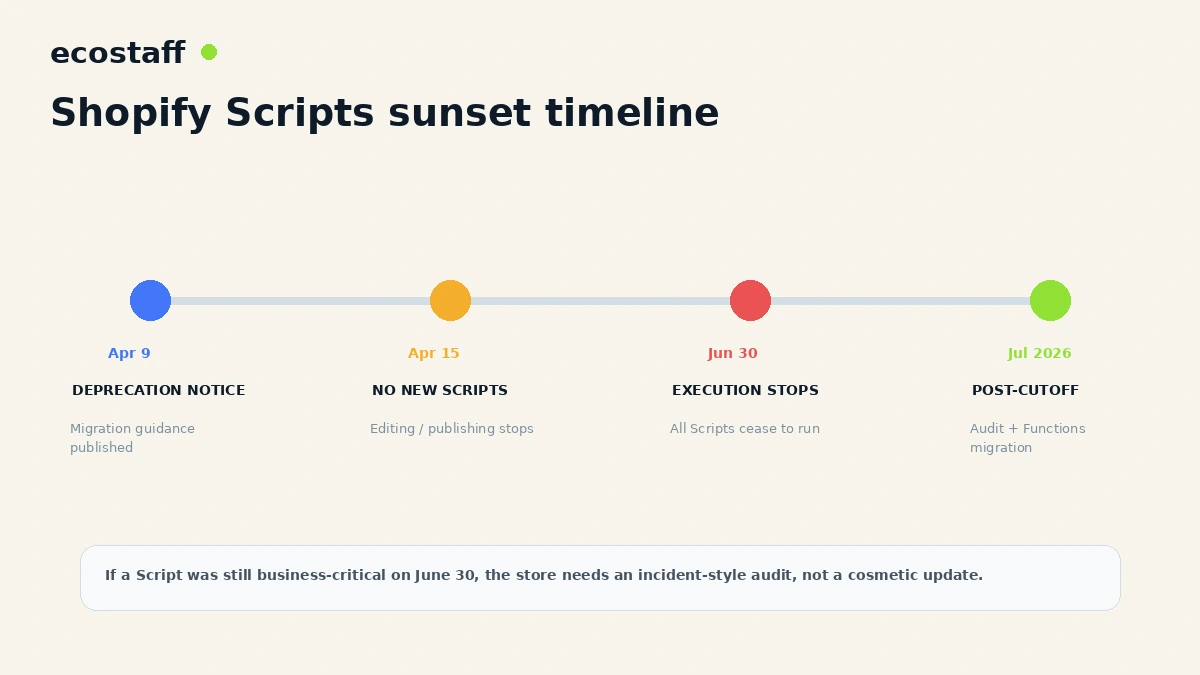
The key dates
- April 9, 2026: Shopify published the final deprecation notice and migration guidance.
- April 15, 2026: merchants could no longer edit or publish new Shopify Scripts.
- June 30, 2026: all Shopify Scripts stopped executing.
If a store still depended on Scripts after June 30, verify live order behavior immediately. Do not assume an old promotion, shipping or payment rule still works.
Start with the Shopify Scripts customizations report
Shopify recommended using its Scripts customizations report to identify existing customizations and help plan which could move to Shopify Functions or public apps.
Export the inventory and add business context. A technical script name such as ‘line_items_2022_final’ is not enough. The migration team needs to know which campaign or commercial rule the script represents.
Classify every Script by business job
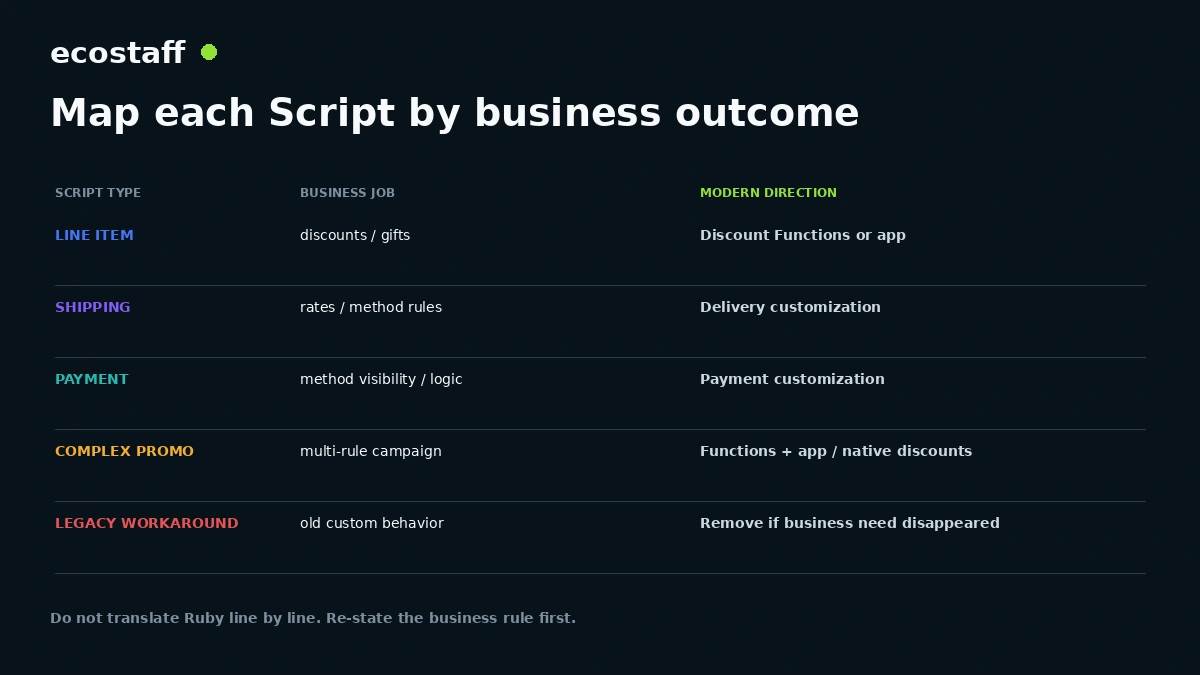
| Legacy Script area | Typical business job | Modern direction |
|---|---|---|
| Line item | Tiered discounts, gifts, bundle pricing | Discount Functions, native discounts or app logic. |
| Shipping | Hide or alter shipping methods | Delivery customization Functions / supported app. |
| Payment | Hide or reorder payment methods | Payment customization Functions / supported app. |
| Complex promotion | Multiple interacting rules | Functions plus app or redesigned promotion model. |
| Legacy workaround | Old custom behavior | Remove if the underlying business need no longer exists. |
Why Shopify Functions are different
Shopify Functions run inside Shopify’s extensibility model and are designed for predictable performance and supported commerce customization. They are not a general-purpose copy of checkout.liquid or Scripts.
That means some old logic needs to be redesigned around the capabilities Shopify exposes. A good migration may simplify a Script rather than reproduce every line.
Discount migration needs edge-case testing
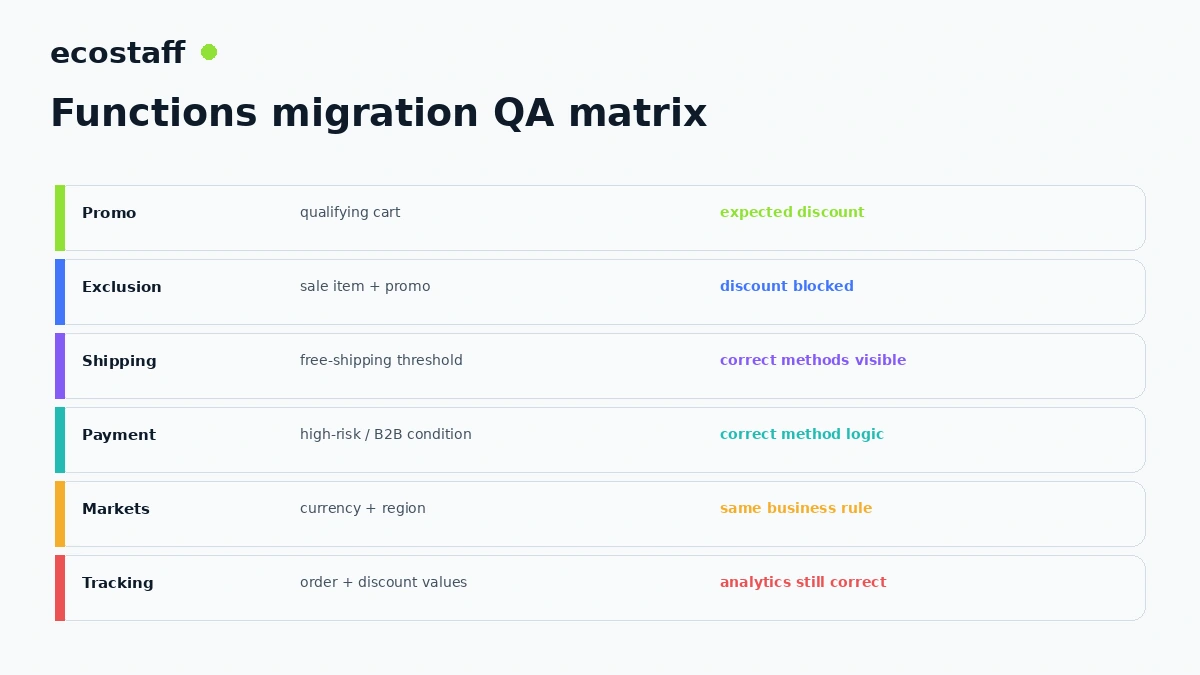
Promotions often fail at the edges: sale products, subscription items, gift cards, bundles, customer tags, markets, multiple codes and automatic discounts. Build a test matrix from real historical orders.
- Minimum spend just below and above the threshold.
- Eligible and excluded products in one cart.
- Sale product combined with automatic promotion.
- Multiple quantities and variant combinations.
- Discount in another market or currency.
- Subscription versus one-time purchase.
- Gift product with inventory constraints.
Shipping logic can create invisible revenue risk
A shipping Script may hide expensive methods, unlock free shipping or apply customer-specific delivery rules. A failed migration can expose the wrong shipping method without creating a visible error.
Test shipping across regions, cart values, PO boxes, freight products, subscriptions and B2B buyers where relevant.
Payment customization deserves fraud and conversion review
Payment Scripts may have hidden certain methods for high-risk orders, particular countries or customer groups. A replacement should be validated with both conversion and risk teams.
Do not migrate payment behavior based only on screenshots. Confirm which methods actually become available in checkout for each condition.
Functions migration and Shopify Markets
A rule that worked in one currency can behave differently across Markets. Test localized price, tax, shipping and eligibility conditions. Avoid hard-coded assumptions that were safe only when the store served one country.
Analytics can break even when the promotion works
Discount values, promotion names and checkout behavior can affect analytics, attribution and finance exports. Verify the downstream order data after the Functions migration, not only the customer-facing price.
Post-cutoff incident checklist
- Identify every Script that was active before June 30.
- Map each Script to its business outcome.
- Place test orders that would have triggered it.
- Compare expected and actual discount, shipping and payment behavior.
- Identify any live revenue or customer-impact issue.
- Prioritize critical replacements first.
- Implement through Functions, native features or supported apps.
- Test edge cases and Markets.
- Validate analytics and downstream integrations.
- Document the new owner and maintenance path.
Do not replace one legacy problem with another
A migration deadline can push teams toward the first app that promises feature parity. Evaluate app dependency, permissions, pricing, support, performance and exit path before turning a Script into another long-lived workaround.
Where a native Shopify Function or discount feature can meet the requirement cleanly, simpler architecture usually has lower maintenance risk.
When should an agency handle the migration?
Specialist support is valuable when Scripts control several interacting promotions, shipping/payment conditions, B2B logic or custom apps. The agency should understand Functions and the business economics behind the rules.
Ecostaff lists Shopify-focused companies. Use the agency selection framework to evaluate delivery methodology and risk.
Migration governance
- Keep requirements in plain business language.
- Store Function code in source control.
- Use staged deployment and rollback planning.
- Assign an owner for promotion and checkout logic.
- Review app permissions and data access.
- Retire unused legacy code and documentation.
Frequently asked questions
Do Shopify Scripts still run after June 30, 2026?
No. Shopify’s deprecation notice says all Shopify Scripts cease to execute on June 30, 2026.
Can I edit an old Script after the cutoff?
Shopify stopped allowing editing or publishing new Scripts from April 15, 2026.
Does every Script migrate directly to Shopify Functions?
No. The correct replacement may be a Function, a native feature, a public app or removal of an outdated business rule.
Should we reproduce every old Script exactly?
Not necessarily. Use the deadline as an opportunity to restate the business requirement and remove outdated complexity.
Sources and further reading
- Shopify Developer Changelog – Shopify Scripts deprecated June 30, 2026
- Shopify Help Center – Migrating from Shopify Scripts to Shopify Functions
- Shopify Functions documentation
- Shopify Spring ’26 Edition
Conclusion
The Shopify Scripts deadline is no longer theoretical. After June 30, 2026, every Script-dependent business rule needs a supported replacement or a conscious decision to remove it.
The strongest migration is business-led: document the outcome, choose the simplest modern mechanism, test real checkout scenarios and leave behind cleaner architecture than the Ruby code you started with.