

Quick answer: what changed in WooCommerce 10.5?
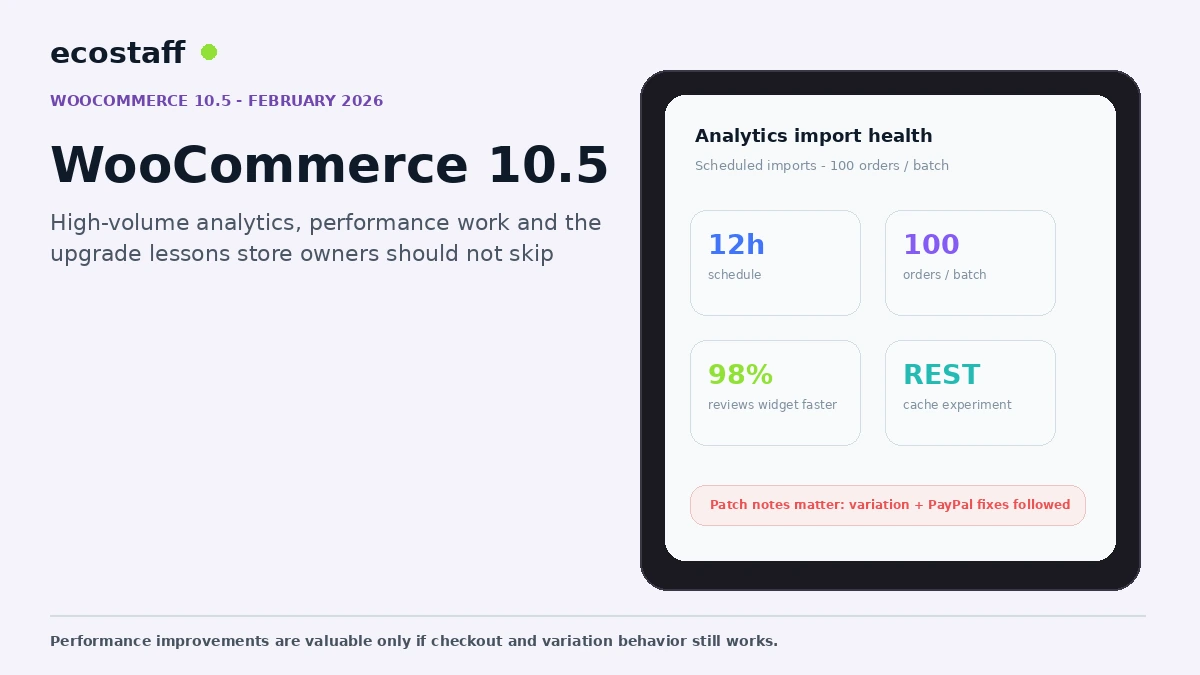
WooCommerce 10.5 was released in early February 2026 with a major change to analytics processing for high-volume stores, better multi-package checkout presentation and a broad set of performance improvements. WooCommerce introduced scheduled analytics imports that batch 100 orders at a time every 12 hours for new stores, while existing stores could opt in through Analytics settings.
The 10.5 patch cycle also became an important upgrade lesson. WooCommerce 10.5.1 and 10.5.2 addressed compatibility problems involving variable-product add-to-cart behavior, Divi and PayPal Standard shipping callbacks. Store owners should read the current patch notes and test real product variations and payments before updating production.
WooCommerce performance work often has a different impact depending on catalog size and order volume. A change that saves a small amount of work per order may be invisible on a low-volume shop but meaningful when thousands of order events are creating scheduled jobs and analytics updates.
Version 10.5 targeted several of these accumulated costs. It also showed why a release should be evaluated through the store’s actual customization layer, not only through the headline feature list.
1. Analytics imports became more scalable
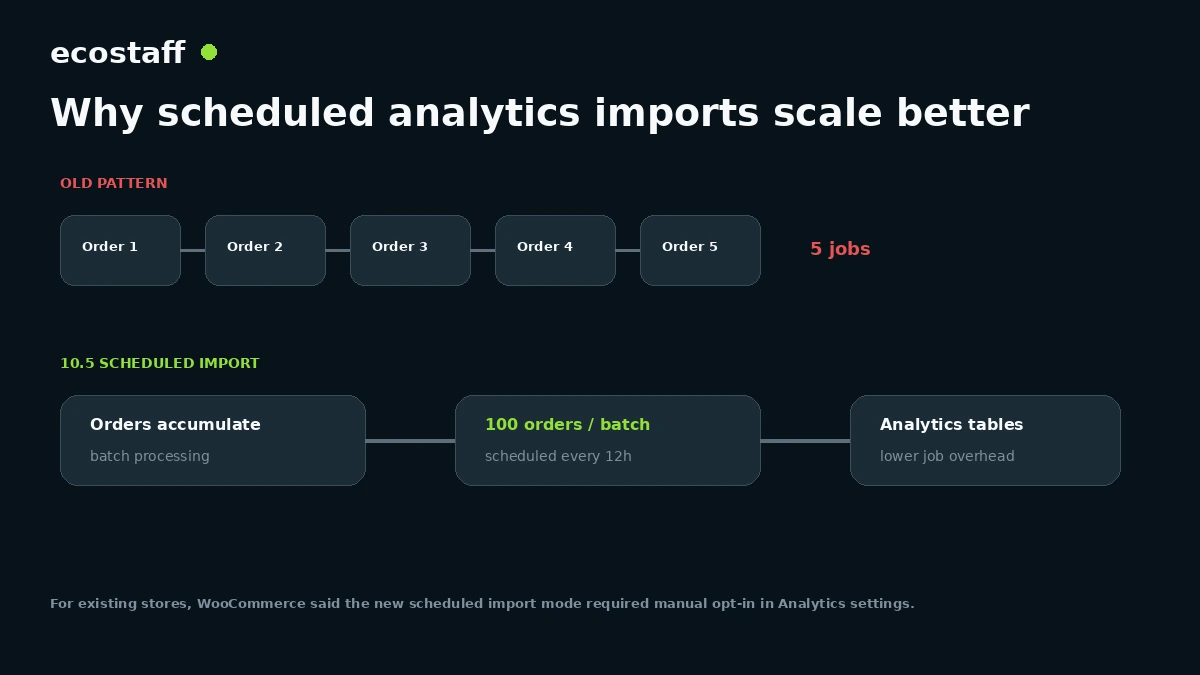
WooCommerce said 10.5 reworked analytics order imports to use scheduled batch processing for new stores. The default model processes 100 orders per batch every 12 hours, reducing the Action Scheduler overhead created by importing on every order event.
For high-volume merchants, the change can reduce background processing pressure while keeping reporting data current enough for many operational dashboards. Existing stores needed to opt into scheduled imports manually at the time of release.
What to check before switching analytics import mode
- Confirm which reports depend on near-real-time analytics tables.
- Check how often finance or merchandising teams expect reports to refresh.
- Review custom plugins that read WooCommerce analytics tables directly.
- Monitor Action Scheduler before and after the change.
- Test a manual analytics refresh process for urgent reporting needs.
2. Multi-package checkout became clearer
WooCommerce 10.5 improved Checkout blocks for orders with multiple packages by displaying product thumbnails and visually distinct shipment containers. That is useful for subscriptions, multi-warehouse fulfillment and stores that split shipments.
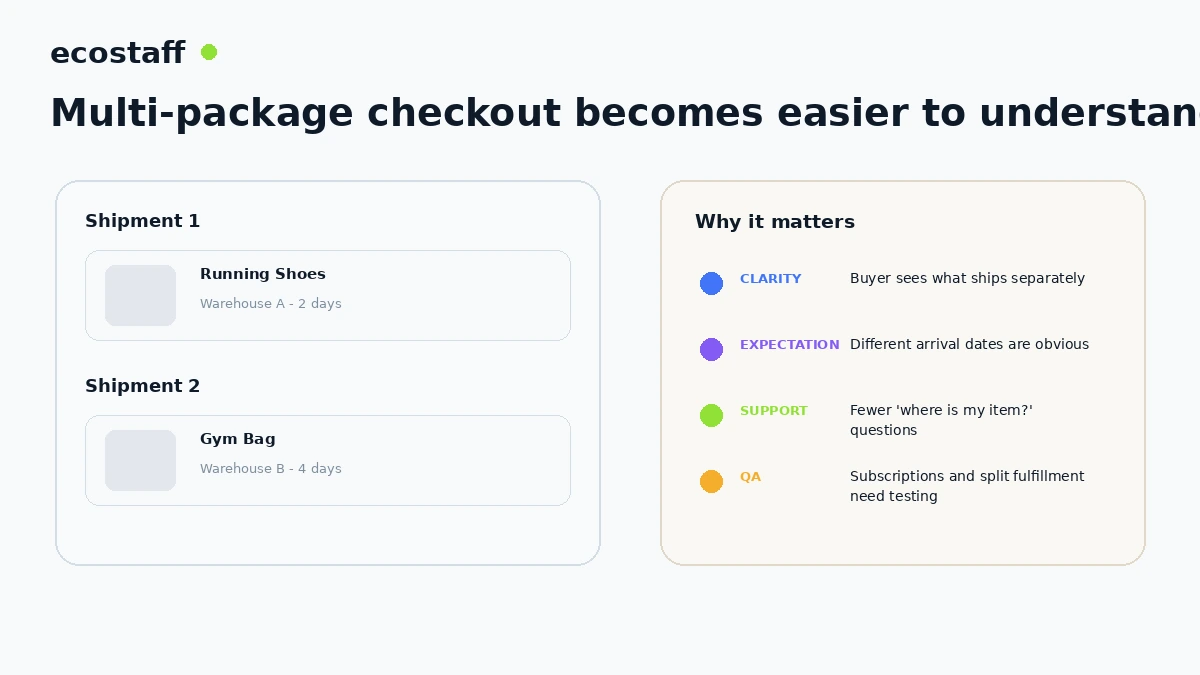
The UX should still be tested with real shipping rules. Confirm that package names, arrival expectations, taxes, shipping methods and order-confirmation emails remain understandable.
3. Admin and catalog performance improved
WooCommerce reported several performance improvements in 10.5, including a Recent Reviews widget that could load up to 98% faster, more efficient variation price caching and fixes for Product Filters on large catalogs.
WooCommerce also added experimental REST API caching and experimental product object caching. Experimental features should be tested separately from a production upgrade and monitored for interactions with custom APIs, personalization and cache invalidation.
4. Shipping tax calculations gained more flexibility
A new filter allowed dynamic shipping tax classes, useful in regions where shipping tax treatment depends on cart contents, customer location or local rules. This is a developer capability, not a tax recommendation. Merchants should validate any implementation with qualified tax advisers.
5. Product permalink behavior changed
WooCommerce 10.5 updated product permalinks so category-based URLs could prioritize the deepest category instead of the highest parent ID. Stores using category-based product URL structures should review canonical URLs, redirects and internal links before and after deployment.
6. Database updates change rollback planning
The release included several database updates. A rollback therefore needs more than replacing the plugin folder. Use a synchronized file and database backup, and confirm the restoration process before production deployment.
The patch cycle is part of the release story
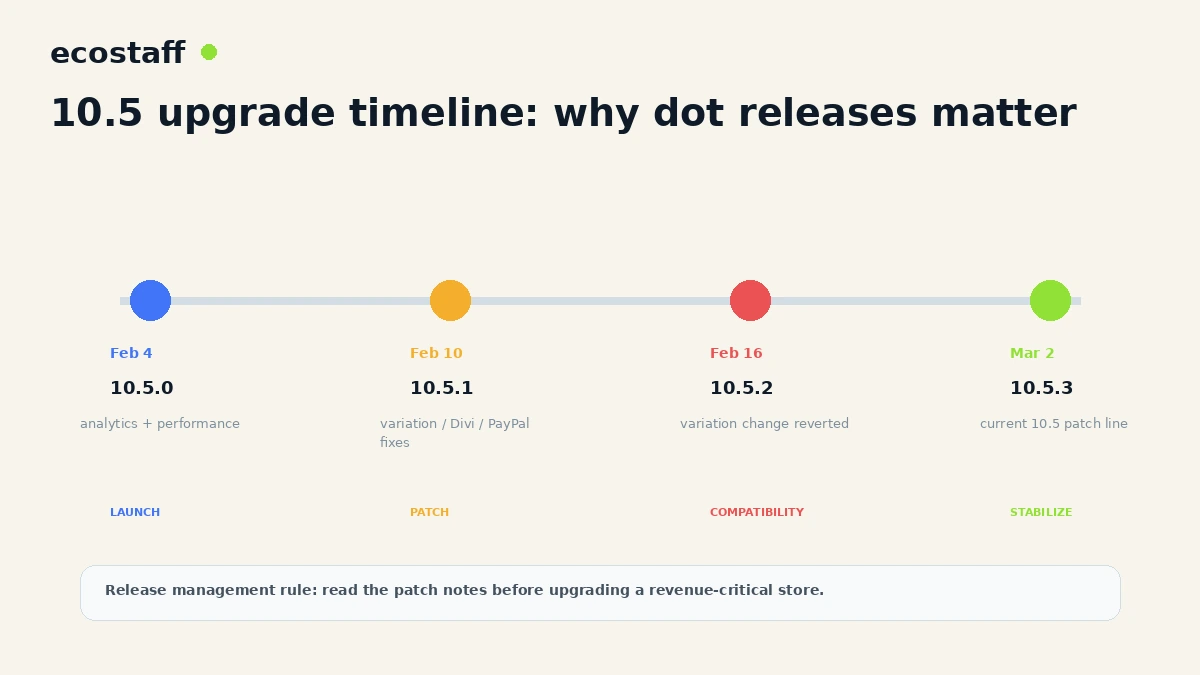
WooCommerce 10.5.1 addressed several post-release issues, including variable-product add-to-cart behavior, Divi shop-page compatibility and security hardening for PayPal Standard shipping callbacks. WooCommerce 10.5.2 then reverted the variation-handling change after some stores still experienced broken add-to-cart behavior.
This is exactly why revenue-critical stores should not treat ‘backward compatible’ as a substitute for staging. Plugins and custom code can intentionally change the same JavaScript, templates and hooks that core updates modify.
Variable products deserve explicit QA
Variable-product bugs are especially costly because the product page may render normally while the add-to-cart action fails. Include a matrix of attribute formats, custom slugs, default selections and out-of-stock variants in the upgrade test.
| Test case | What to verify | Why |
|---|---|---|
| Single attribute | Selection enables add to cart | Basic variation flow. |
| Multiple attributes | Valid combination resolves correctly | Complex products often expose JS edge cases. |
| Custom attribute slug | Frontend and API normalize consistently | Custom naming can trigger compatibility issues. |
| Out-of-stock variant | Cannot purchase unavailable option | Protect inventory accuracy. |
| Default variation | Loads and changes correctly | Theme and app scripts may override behavior. |
A WooCommerce 10.5 upgrade workflow
- Create a verified file and database backup.
- Clone production to staging.
- Update WooCommerce and critical extensions in staging.
- Review the latest 10.5.x patch notes.
- Run database updates.
- Test simple and variable products.
- Test Cart and Checkout blocks.
- Test every active payment gateway.
- Test multi-package shipping if used.
- Review analytics import behavior and Action Scheduler.
- Check custom REST integrations and caching.
- Deploy in a monitored window.
What performance metrics should stores compare?
Do not measure only Lighthouse. WooCommerce performance has several layers: customer-facing response time, database query load, background jobs, admin speed and API latency. Choose metrics that match the release changes.
- Product and collection response time.
- Checkout query count and response time.
- Admin analytics load time.
- Action Scheduler queue size and failed jobs.
- Variation price calculation on large products.
- Store API or custom REST response time.
- Server CPU and database load during order peaks.
When is WooCommerce 10.5 especially relevant?
The analytics import changes are most relevant to stores processing high order volume or seeing heavy Action Scheduler activity. Product filter and variation performance improvements matter to large catalogs. Multi-package UX matters to multi-warehouse, subscription and split-shipment operations.
For the earlier AI and profitability changes, see WooCommerce 10.3: COGS, MCP Beta and What Store Owners Should Test.
How to evaluate a WooCommerce agency for performance work
Ask the provider to distinguish application bottlenecks from hosting limitations. They should be able to inspect database queries, background jobs, cache behavior, extensions, Store API requests and frontend interactions instead of recommending a generic plugin stack.
You can compare WooCommerce companies on Ecostaff.
Frequently asked questions
Did WooCommerce 10.5 require a database update?
Yes. WooCommerce documented database updates as part of the release.
Were scheduled analytics imports enabled automatically for existing stores?
At launch, WooCommerce said new stores used scheduled imports while existing stores needed to opt in through Analytics settings.
Why did WooCommerce release 10.5.1 and 10.5.2 quickly?
The patch releases addressed compatibility and security issues, including variable-product add-to-cart behavior, Divi compatibility and PayPal Standard callback hardening.
Should a busy store update immediately on release day?
A production store should follow its own risk process. High-volume and highly customized stores benefit from staging, current patch notes, payment tests and a rollback plan.
Sources and further reading
- WooCommerce Developer Blog – WooCommerce 10.5: Improving analytics and admin performance
- WooCommerce Developer Blog – WooCommerce 10.5: What’s coming for developers
- WooCommerce Developer Blog – WooCommerce 10.5.1 dot release
- WooCommerce Developer Blog – WooCommerce 10.5.2 dot release
Conclusion
WooCommerce 10.5 was a performance-oriented release, but its biggest lesson is release discipline. Batch analytics and admin improvements can reduce real operational cost, while a small compatibility regression in variation handling can immediately block sales.
The best upgrade process combines current patch notes, production-like staging, conversion-critical tests and a rollback path. Performance only matters when the store still works.