

Quick answer: what is WooCommerce HPOS and why did it matter in 2024?
High-Performance Order Storage (HPOS) is WooCommerce’s dedicated order-storage architecture. Instead of relying on the traditional WordPress posts and postmeta tables for order data, HPOS uses dedicated order tables designed for eCommerce queries. WooCommerce marked HPOS stable in version 8.2 in October 2023 and enabled it by default for new installations.
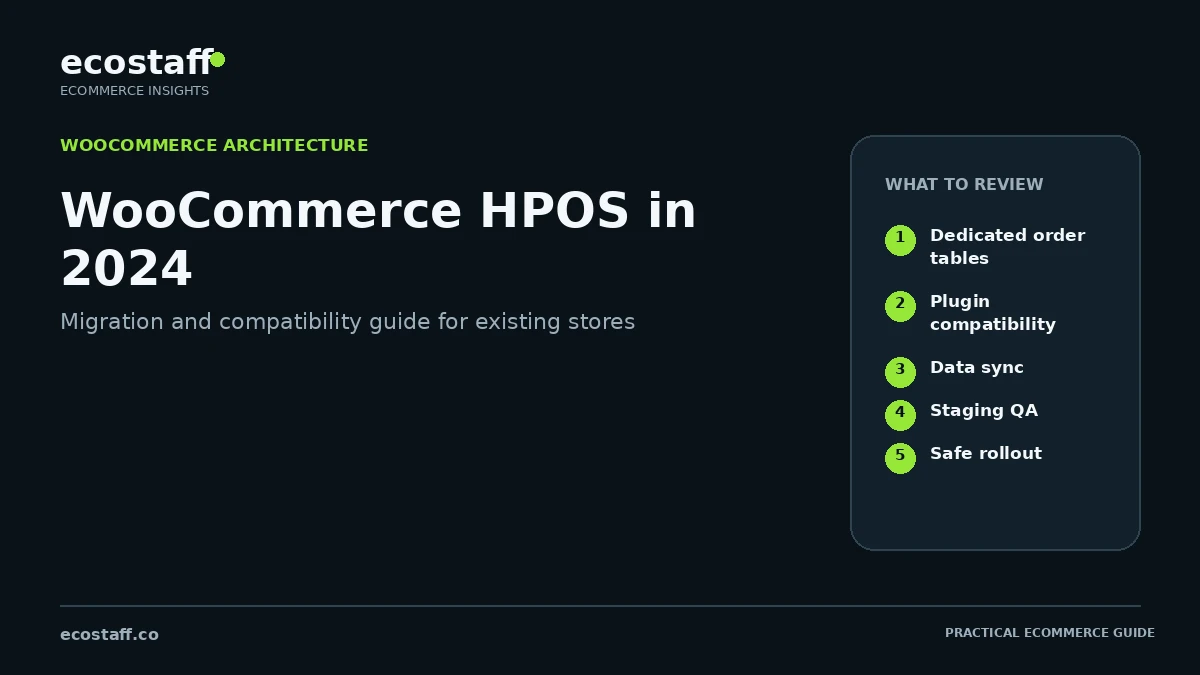
For existing stores, 2024 became a practical migration period. The main question was not simply whether HPOS was faster. Merchants needed to confirm extension and custom-code compatibility, synchronize order data, test integrations, switch the authoritative data store safely and verify that checkout, admin, fulfillment, reporting and automation still worked.
WooCommerce’s flexibility comes partly from its deep connection to WordPress. Historically, orders were stored as a custom post type with order details distributed through post meta. That model was familiar to plugin developers, but it created scaling and query-efficiency limitations as order volumes and integrations grew.
HPOS changes the underlying storage model. WooCommerce created dedicated tables for orders, addresses, operational data and order metadata. That gives the platform a structure designed around commerce rather than general-purpose content.
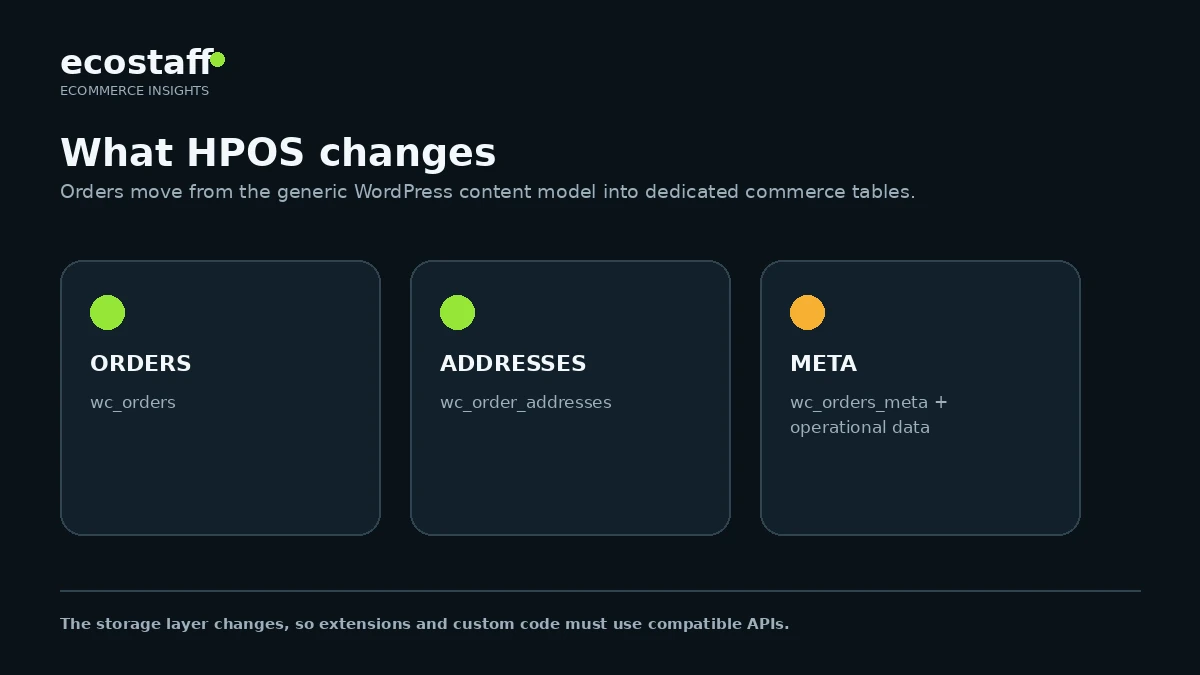
What changed with HPOS?
WooCommerce documentation describes HPOS as an architecture intended to improve scalability, reliability and simplicity. Dedicated tables mean order queries can use commerce-specific indexes and avoid placing every order operation into the same heavily used WordPress tables.
| Area | Legacy WordPress order storage | HPOS |
|---|---|---|
| Primary storage | posts and postmeta | Dedicated WooCommerce order tables |
| Query model | General WordPress post/meta structure | Commerce-specific order structure and indexes |
| Scalability | More contention as order/meta volume grows | Designed to reduce unnecessary reads and writes across busy generic tables |
| Compatibility | Very broad historical plugin assumptions | Extensions and custom code must use compatible WooCommerce APIs |
| Migration | Already in place on older stores | Requires synchronization and compatibility checks before switching |
The four core HPOS order tables
WooCommerce documents four dedicated tables used by HPOS: _wc_orders, _wc_order_addresses, _wc_order_operational_data and _wc_orders_meta. Their exact database prefix depends on the WordPress installation.
- Orders: core order fields such as status, customer references and timestamps.
- Order addresses: billing and shipping address data.
- Operational data: operational fields that support order processing.
- Order metadata: additional key-value data associated with orders.
Why compatibility matters more than the switch itself
A store can enable HPOS only when its active extension set is compatible. The biggest risk usually comes from plugins or custom code that query wp_posts and wp_postmeta directly instead of using WooCommerce order APIs.
This matters because a custom report, ERP connector, fulfillment script or internal plugin may look unrelated to checkout but still assume the legacy storage model. Moving the authoritative order data store can expose those assumptions.
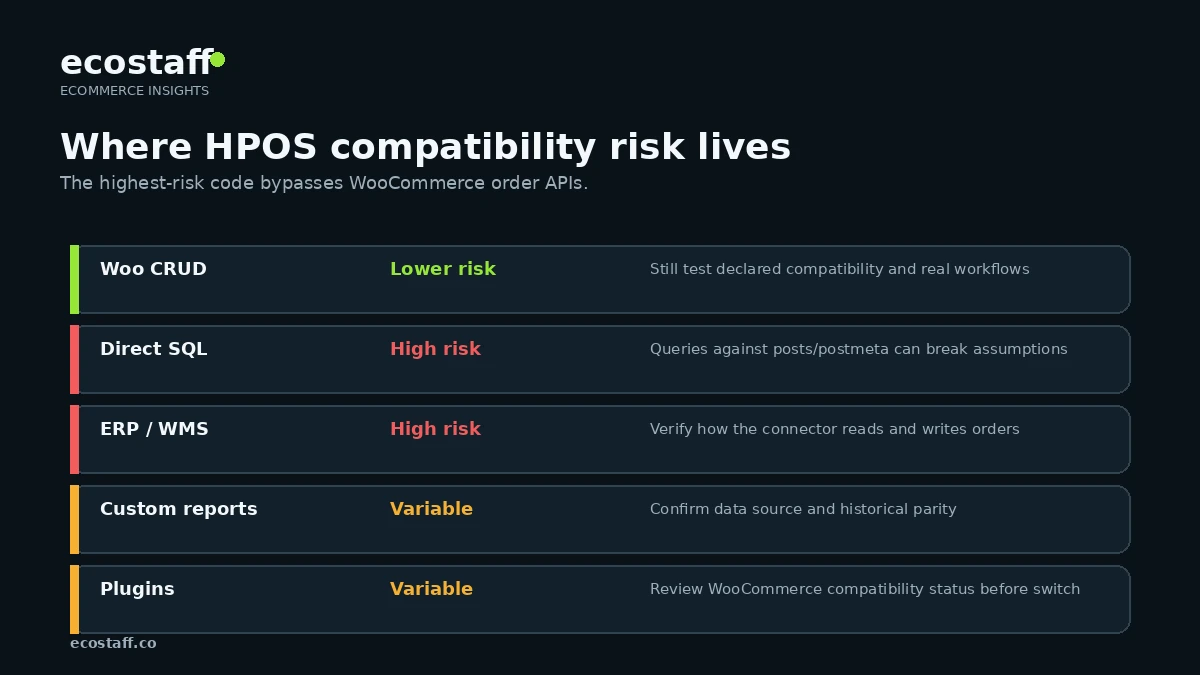
A safe HPOS migration process
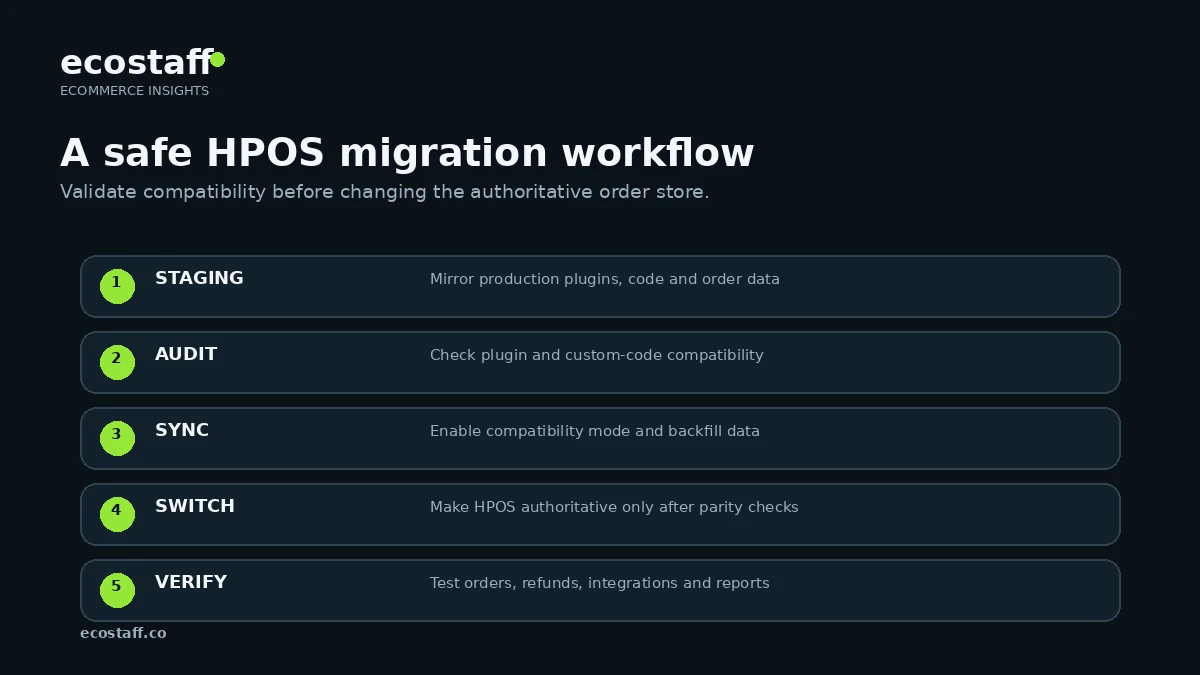
1. Build a production-like test environment
WooCommerce’s large-store guidance recommends testing in an environment that mirrors production as closely as possible, including plugins and custom code. For a high-volume store, this is essential because the migration needs realistic order counts, extensions and scheduled processes.
2. Audit active plugins and custom code
Check the WooCommerce feature compatibility screen and review internal code for direct order-table assumptions. Search custom code for raw queries against posts/postmeta where orders are involved. Also review third-party integrations that read from the database directly.
3. Enable compatibility mode and synchronize
WooCommerce provides a compatibility mode that can keep legacy posts storage and HPOS tables synchronized during migration. Existing stores first need the data stores in sync before switching the authoritative order store.
4. Verify synchronization before switching
Do not switch because a background job started. Verify that pending synchronization has completed and that the store reports the data stores are ready. Large order histories can require more time and operational planning.
5. Switch the authoritative store and test real workflows
Once synchronized and compatible, enable HPOS as the authoritative store. Then test order creation, payment, refunds, fulfillment, emails, subscriptions if applicable, reporting, exports, integrations and support workflows.
What should be tested after enabling HPOS?
- Guest and logged-in checkout.
- Card, wallet, bank-transfer and alternative payment methods used by the store.
- Order status transitions and transactional emails.
- Refunds and partial refunds.
- Subscriptions, bookings or other order-adjacent extensions.
- Warehouse, shipping and fulfillment integrations.
- ERP, CRM and accounting synchronization.
- Order exports and custom reports.
- Admin order search and support workflows.
- Webhooks and automation.
- Backup and restore procedures.
- Custom dashboards or SQL-based reporting.
HPOS does not automatically fix a slow WooCommerce store
Dedicated order storage can improve scalability and order-query behavior, but storefront performance depends on many other systems: hosting, PHP, database health, theme code, plugins, cache strategy, third-party scripts, product catalog size, search and checkout logic.
If shoppers experience slow filters, cart interactions or checkout UI, also review Interaction to Next Paint for eCommerce. HPOS addresses order storage architecture; it is not a universal front-end performance switch.
Compatibility mode: useful bridge, not the final architecture
Compatibility mode can synchronize order data between the legacy posts tables and HPOS. That makes migration safer and provides a fallback path while teams validate the new architecture. However, keeping two systems synchronized indefinitely adds operational complexity and may not be the desired long-term state.
Use the compatibility period intentionally: monitor errors, integrations and data parity, then decide when the store is ready to rely on HPOS as its normal order storage.
How custom development should change
WooCommerce’s developer guidance encourages using its CRUD and order-query APIs rather than direct database assumptions. Code built through supported APIs is more portable across data-store implementations.
| Custom-code pattern | Risk under HPOS | Preferred direction |
|---|---|---|
| Direct SQL against posts/postmeta for orders | High | Use WooCommerce order CRUD/query APIs where possible |
| Reading order meta through WordPress post-meta functions | Potential compatibility risk | Use WooCommerce order methods and supported data APIs |
| Third-party export querying database tables directly | High | Update connector or query layer for HPOS-aware access |
| WooCommerce CRUD-based extension | Lower | Still test declared HPOS compatibility and real workflows |
| Custom reporting | Varies | Confirm the report’s data source and test historical parity |
When does HPOS matter most?
High-volume stores gain the clearest architecture case, but HPOS is not only for enterprise merchants. WooCommerce enables it by default on new installations, so extension compatibility increasingly becomes a baseline ecosystem requirement.
Existing stores should prioritize migration when they have growing order volume, busy admin order workflows, many integrations or custom development that will need to remain compatible with the modern WooCommerce direction.
When should a store involve a WooCommerce specialist?
A small store with standard extensions may be able to migrate internally by following WooCommerce documentation. Specialist support is more valuable when the store has a large order history, custom SQL, ERP/warehouse integrations, subscriptions, heavy automation or strict uptime requirements.
Ecostaff lists WooCommerce-focused companies that can be compared by expertise and public company data. For a broader procurement framework, use the guide to choosing an eCommerce agency.
HPOS migration checklist
- Create and verify a current backup.
- Build a staging environment that mirrors production plugins and custom code.
- Update WooCommerce and relevant extensions to supported versions.
- Review HPOS compatibility warnings in WooCommerce.
- Audit custom code and integrations for direct order-table assumptions.
- Enable compatibility mode and allow order data to synchronize.
- Verify data-store synchronization before switching.
- Enable HPOS as the authoritative order store in staging first.
- Run checkout, refund, fulfillment, reporting and integration tests.
- Monitor logs and scheduled actions.
- Plan the production change and monitoring window.
- Keep a documented rollback path until the migration is stable.
Frequently asked questions
Is HPOS enabled by default?
WooCommerce states that HPOS is enabled by default for new installations from version 8.2, released in October 2023. Existing stores can migrate from legacy WordPress posts storage.
Can I enable HPOS if a plugin is incompatible?
WooCommerce can block the HPOS option when incompatible plugins are active. The safer approach is to update, replace or obtain compatibility from the extension developer rather than forcing the switch.
Does HPOS delete the old order data immediately?
WooCommerce supports synchronization and compatibility modes during migration. The authoritative and backup roles depend on the selected configuration. Follow the current WooCommerce migration documentation rather than manually deleting legacy data.
Should every store migrate in 2024?
There was no single universal deadline requiring every existing store to switch in 2024. The important point was that HPOS was already stable and default for new stores, making compatibility and migration planning part of normal WooCommerce maintenance.
Sources and further reading
- WooCommerce developer docs – High-Performance Order Storage
- WooCommerce merchant docs – High-Performance Order Storage
- WooCommerce developer docs – How to enable HPOS
- WooCommerce developer docs – HPOS extension recipe book
- WooCommerce developer docs – Large store HPOS guide
Conclusion
HPOS is one of the most important WooCommerce architecture changes in recent years because it separates order data from the general-purpose WordPress content tables. In 2024, the practical work for existing stores was compatibility, synchronization and migration discipline.
A successful migration does not end when the HPOS toggle turns on. It ends when real order workflows, integrations, reporting and support operations have been verified and the team understands how to maintain the store on the modern order-storage architecture.