

Quick answer: what should a Shopify merchant review first in 2025?
Start with performance, checkout, customer accounts, analytics, operations and custom integrations before adding new apps. Shopify Winter ’25, released in December 2024, contained more than 150 improvements. Shopify highlighted cart loading improvements of up to 50%, accelerated checkout buttons loading up to 58.8% faster, wider rollout of Sidekick, Markets, new analytics and customer account extensions, plus a stronger developer move from REST toward GraphQL.
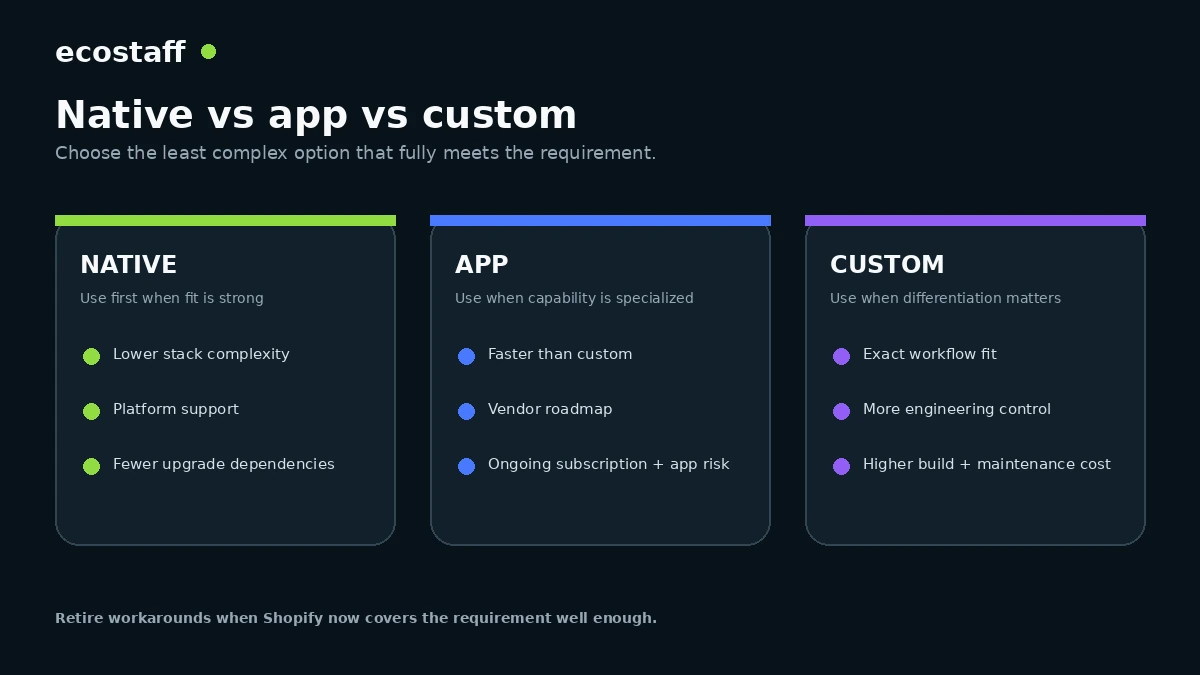
The practical 2025 task is to identify where Shopify now covers a requirement natively, where an app still adds differentiated value and where custom code remains justified. Merchants should measure their own store rather than assuming platform-level improvements automatically fix theme, app or integration bottlenecks.
A Shopify store can accumulate years of workarounds: apps installed for features that later became native, custom scripts built around old APIs, duplicated analytics, checkout logic left over from a previous migration and operational processes that no longer match the platform. The beginning of 2025 is a useful moment to review the stack as a system rather than chase another feature list.
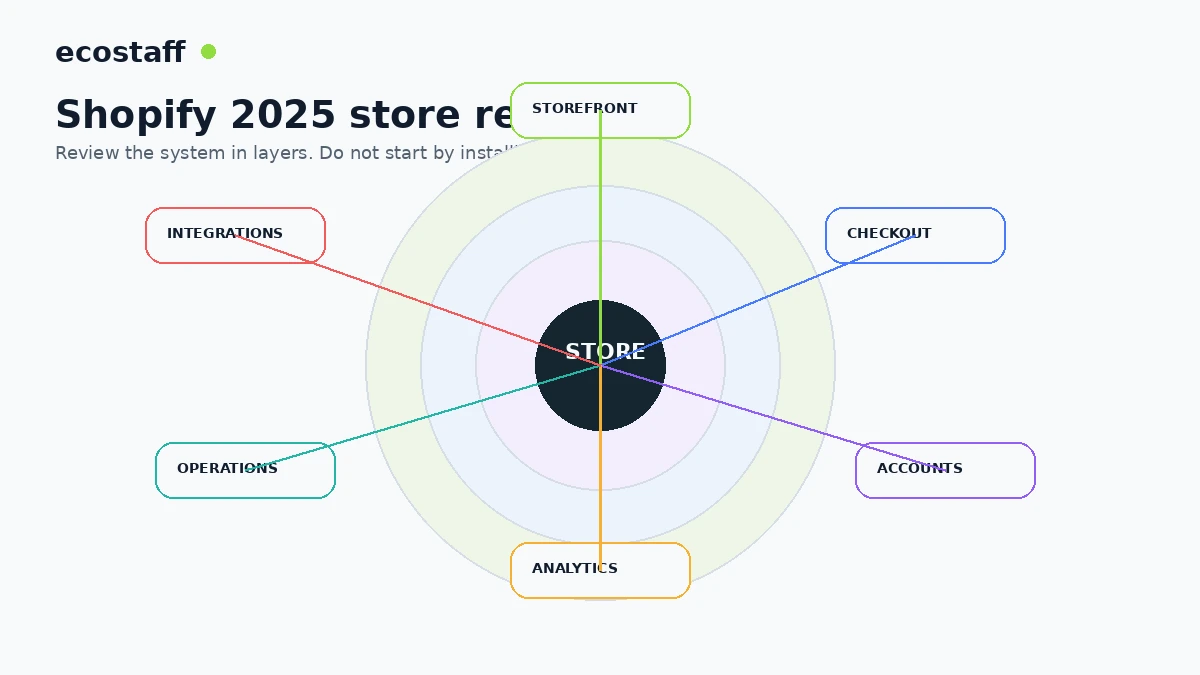
10 Shopify areas to review in 2025
1. Measure storefront and cart performance
Shopify reported significant platform performance improvements in Winter ’25, including cart loading gains and faster accelerated checkout buttons. Those improvements are valuable, but merchant code still matters. Theme JavaScript, search apps, review widgets, personalization, consent tools and cart-drawer logic can dominate the actual experience on customer devices.
Use real-user data where possible. Check collection pages, search, product detail pages, variant selection, add-to-cart and cart interactions rather than relying on the homepage alone. The Interaction to Next Paint guide explains why a store can load quickly and still feel slow when shoppers interact with it.
2. Review checkout after the 2024 extensibility migration
For Shopify Plus merchants, 2024 was a major checkout architecture year. If checkout.liquid was replaced under deadline pressure, 2025 should include a cleanup pass: remove redundant legacy code, verify tracking, confirm app compatibility and document which extensions or Functions now control business logic.
Use the Checkout Extensibility migration guide as a dependency checklist. The goal is not simply a visually correct checkout. Shipping, discounts, payments, consent and purchase tracking need to work together.
3. Review customer accounts as a product surface
Shopify continued expanding extensible customer accounts and account-based workflows. Merchants should decide what logged-in customers actually need: order history, returns, subscription management, loyalty, B2B features, saved information or support access. Do not add modules because they exist. Add them when they reduce customer effort or service cost.
4. Validate the new analytics workflow
New analytics continued rolling out across Shopify. Before replacing spreadsheet, BI or finance routines, compare metric definitions and reporting needs. Marketing, merchandising and finance often use similar words for different measures, so a dashboard migration can create disagreement if the team has not defined the source of truth.
| Area | 2025 review question | Evidence to collect |
|---|---|---|
| Storefront | Where do real shoppers experience delay or friction? | Real-user performance, recordings, support issues, conversion by template |
| Checkout | Did the extensibility migration preserve logic and tracking? | Test orders, payment errors, event QA, extension inventory |
| Accounts | Which self-service tasks create customer value? | Support contacts, return/subscription usage, account adoption |
| Analytics | Can teams trust the same metric definitions? | Metric dictionary, reconciliation with finance and analytics |
| Operations | Can native Shopify features replace workarounds? | App inventory, manual process time, error rate |
| Integrations | Which dependencies create maintenance or failure risk? | API inventory, logs, vendor ownership, data-flow map |
5. Audit apps before adding more
Every app should have a current business owner and a reason to exist. Record what the app does, what pages it affects, what data it receives, what recurring cost it creates and what would break if it were removed. This prevents a familiar problem: the store pays for a tool that duplicates a native Shopify capability or another app.
6. Revisit Markets and international architecture
Winter ’25 continued the rollout of Markets. International growth decisions should connect storefront configuration with taxes, duties, payments, catalog differences, domains, translations, SEO and fulfillment. Consolidating markets can reduce operating overhead, but it should not erase regional requirements.
7. Review B2B only against real wholesale workflows
Shopify continued expanding B2B capabilities. The important question is whether native features can now replace custom wholesale processes. Compare company accounts, catalog pricing, payment terms, tax exemptions, returns, sales-rep workflows and ERP requirements. Native B2B is useful when it fits the commercial process, not when the business is forced to change around the software.
8. Plan the REST-to-GraphQL transition
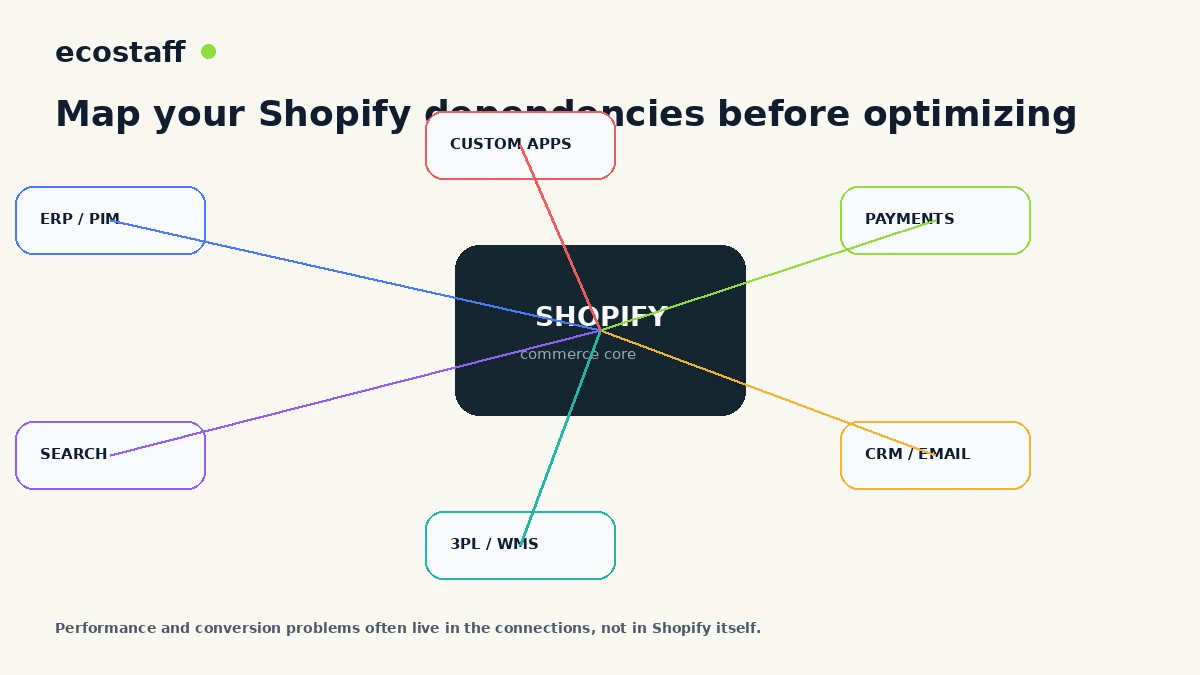
Shopify described GraphQL as its primary API direction and published REST-to-GraphQL mappings. Merchants with custom apps, middleware, ERP connections or older private integrations should create an inventory now. Do not wait for an integration to fail before learning which endpoints are business-critical.
For each dependency, document the owner, data direction, authentication, frequency, error handling, downstream system and the cost of interruption. Then prioritize migrations by business risk.
9. Treat Sidekick as an operational assistant, not an autopilot
AI-assisted admin tools can reduce repetitive work, especially for research, drafting and routine analysis. Start with tasks that are easy to review and reversible. Keep human approval for pricing, legal claims, financial changes, customer communications and other high-impact decisions.
10. Retire workarounds when the platform has caught up
Platform maturity creates an underused optimization opportunity: deletion. Removing a redundant app, script or manual export can reduce latency, cost and failure risk at the same time. The best Shopify project in 2025 may be a simplification project.
A practical Shopify 2025 audit checklist
- Benchmark real-user performance on key templates and interactions.
- Test checkout, payments, discounts and analytics end to end.
- Review customer account use cases and app compatibility.
- Create a metric dictionary before migrating reporting workflows.
- Inventory apps, owners, cost, data access and page impact.
- Review Markets against international SEO, tax and fulfillment requirements.
- Compare native B2B capabilities with real wholesale workflows.
- Inventory REST-based custom integrations and rank migration risk.
- Identify repetitive low-risk tasks suitable for Sidekick-assisted workflows.
- Create a retirement list for redundant apps, scripts and manual processes.
When should a merchant involve an agency?
External support is most useful when the review exposes architecture work: checkout extensions, multi-market consolidation, B2B, complex integrations, performance engineering or a large app-stack cleanup. For routine configuration, internal teams can often move faster.
Ecostaff lists Shopify-focused companies. If you are comparing partners, use the agency selection framework to evaluate evidence, process and delivery risk.
Frequently asked questions
Should every Shopify store adopt every Winter ’25 feature?
No. Shopify Editions combine automatic platform improvements, optional merchant features and developer changes. Review them against current constraints rather than feature novelty.
Does Shopify becoming faster mean performance optimization is finished?
No. Platform infrastructure is only one layer. Theme code, apps, media, third-party scripts and customer devices still affect the real experience.
Should merchants replace apps with native features immediately?
Only after a fit-gap review. Native features can reduce complexity, but an app may still provide important workflow depth or integration capability.
Sources and further reading
- Shopify Winter ’25 Edition
- Shopify – The Boring Edition: Everything improved
- Shopify – Winter ’25 developer improvements
- Shopify – How Winter ’25 upgrades improve existing features
Conclusion
Shopify in 2025 should be reviewed as an operating system, not as a list of apps and features. Measure the customer journey, simplify the stack, validate checkout and analytics, and plan integration changes before they become urgent.
The best outcome is a store that is easier to operate and easier to change. That creates more room for merchandising, experimentation and growth without adding unnecessary technical debt.